> ## Documentation Index
> Fetch the complete documentation index at: https://cortex-foundation-add13747-droid-1a2462c9-cor-444-sanitize.mintlify.site/llms.txt
> Use this file to discover all available pages before exploring further.
# Memory
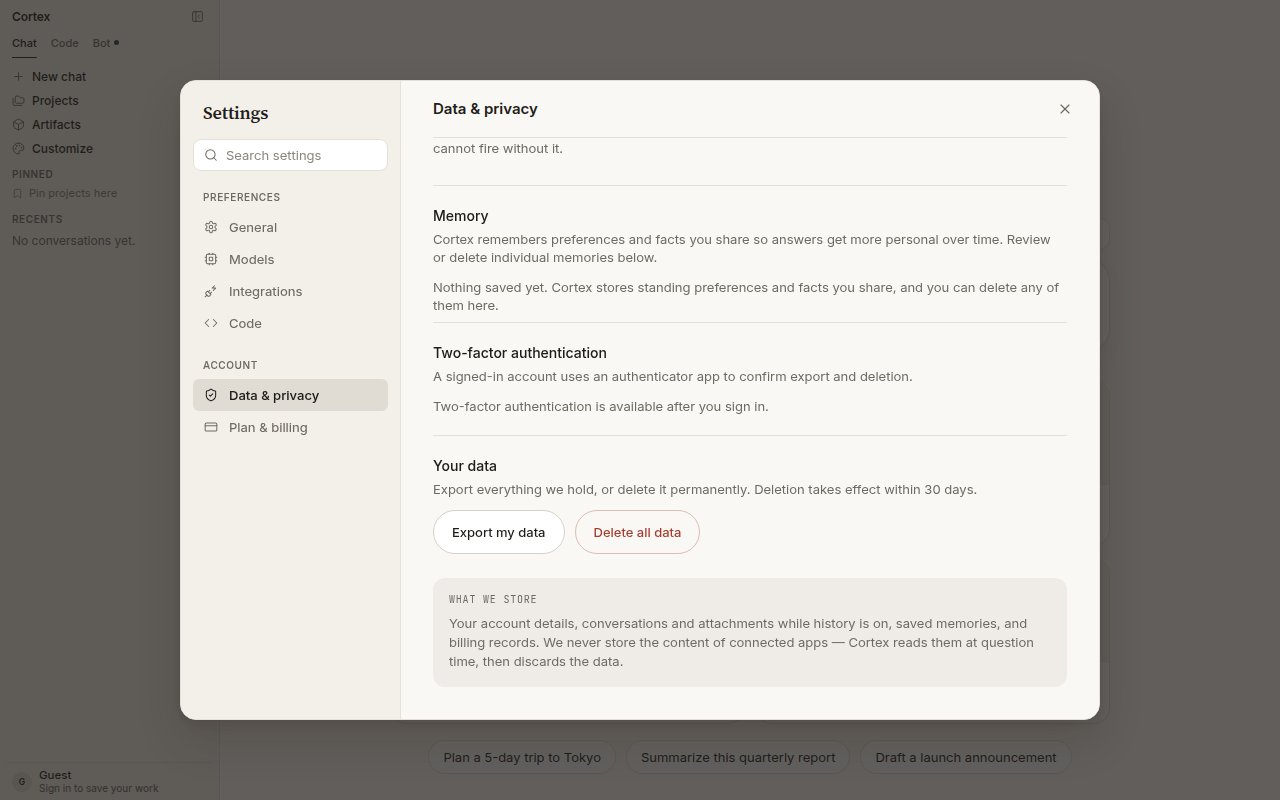
> Cortex remembers preferences and facts you share so answers get more personal over time. Review or delete individual memories under Settings → Data & privacy.
Memory is a short list of standing preferences and facts about you that Chat keeps on your account and reads into every conversation. It is how Cortex remembers that you prefer British spelling, work in euros, or want answers to start with the conclusion — without you repeating it.
 ## What memory is
| Memory is | Memory is not |
| -------------------------------------------------- | ---------------------------------------------------------------------------- |
| Account-wide — it follows you into every chat | A [project](/chat/projects) — project instructions apply to one body of work |
| Short — preferences and facts, not documents | A file store — that is [Library](/chat/library) |
| Explicit to forget — deleting a memory is a delete | A hidden profile you cannot see |
## How memories are created
Chat saves a memory when you tell it something worth keeping — *always answer in French*, *my team ships on Thursdays* — or when it recognises a standing preference from how you work. Memories are read at the start of a turn alongside project instructions.
## Review and forget
Scroll to **Memory**. Every saved memory is listed.
Each entry is a short sentence in plain language.
Deletion is immediate and per memory. There is no buried toggle.
Memory needs a signed-in account. Guests see *Nothing saved yet*.
## Plans
Go and Plus list **extended memory and context** among their features. See [Plans](/getting-started/plans).
## Related
* [Projects](/chat/projects) — instructions scoped to one body of work.
* [Security](/security/overview) — what Cortex stores and how to export or delete everything.
* [How Chat works](/chat/how-it-works) — where memory enters the prompt.
## What memory is
| Memory is | Memory is not |
| -------------------------------------------------- | ---------------------------------------------------------------------------- |
| Account-wide — it follows you into every chat | A [project](/chat/projects) — project instructions apply to one body of work |
| Short — preferences and facts, not documents | A file store — that is [Library](/chat/library) |
| Explicit to forget — deleting a memory is a delete | A hidden profile you cannot see |
## How memories are created
Chat saves a memory when you tell it something worth keeping — *always answer in French*, *my team ships on Thursdays* — or when it recognises a standing preference from how you work. Memories are read at the start of a turn alongside project instructions.
## Review and forget
Scroll to **Memory**. Every saved memory is listed.
Each entry is a short sentence in plain language.
Deletion is immediate and per memory. There is no buried toggle.
Memory needs a signed-in account. Guests see *Nothing saved yet*.
## Plans
Go and Plus list **extended memory and context** among their features. See [Plans](/getting-started/plans).
## Related
* [Projects](/chat/projects) — instructions scoped to one body of work.
* [Security](/security/overview) — what Cortex stores and how to export or delete everything.
* [How Chat works](/chat/how-it-works) — where memory enters the prompt.