> ## Documentation Index
> Fetch the complete documentation index at: https://cortex-foundation-add13747-droid-1a2462c9-cor-444-sanitize.mintlify.site/llms.txt
> Use this file to discover all available pages before exploring further.
# Plans
> A plan is a task list the model can build and keep up to date while you work. Start one from any chat, or from Planning.
A plan turns a long answer into steps you can tick off. Start one from a thread with **Start a plan**, or from the **Planning** page with **New plan**. Plans are kept up to date as the work moves, and a plan started from a chat outlives that chat if you delete it.
 ## Start a plan from a chat
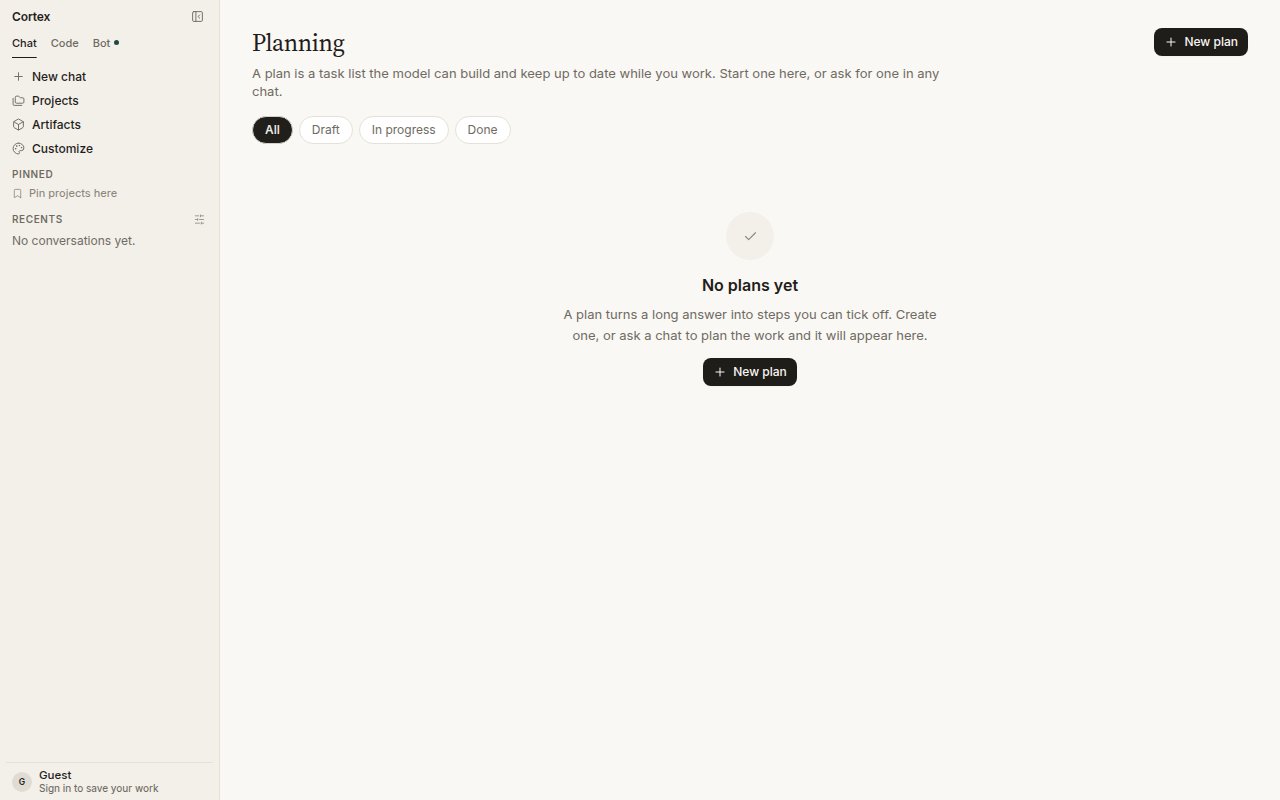
Open the thread and choose **Start a plan** in the header. The title is prefilled from the conversation; add steps if you already know them — one per line, and a pasted numbered list works as is.
## Start a plan from a chat
Open the thread and choose **Start a plan** in the header. The title is prefilled from the conversation; add steps if you already know them — one per line, and a pasted numbered list works as is.
 ## Start a plan from Planning
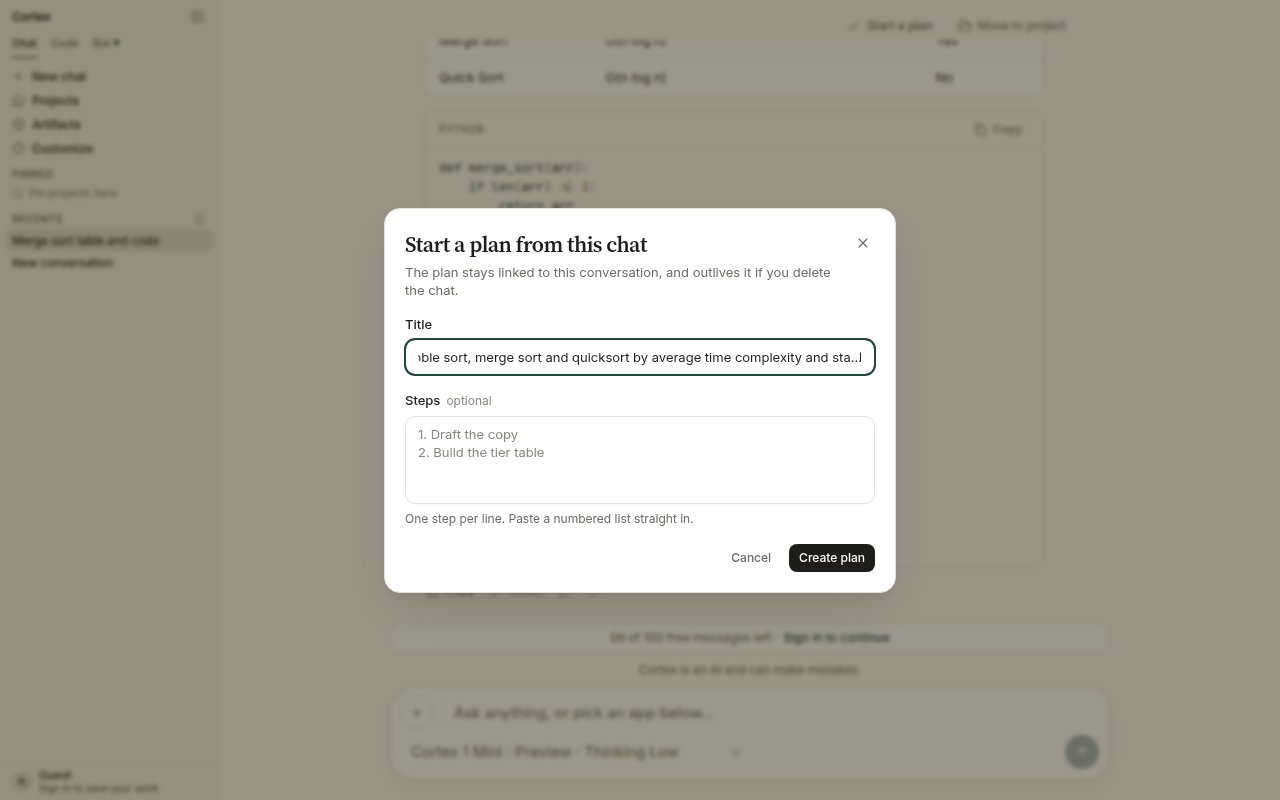
Choose **New plan**. Give it a title and, optionally, steps. Bullets and numbers are stripped, so a list can be pasted straight in.
## Start a plan from Planning
Choose **New plan**. Give it a title and, optionally, steps. Bullets and numbers are stripped, so a list can be pasted straight in.
 ## States
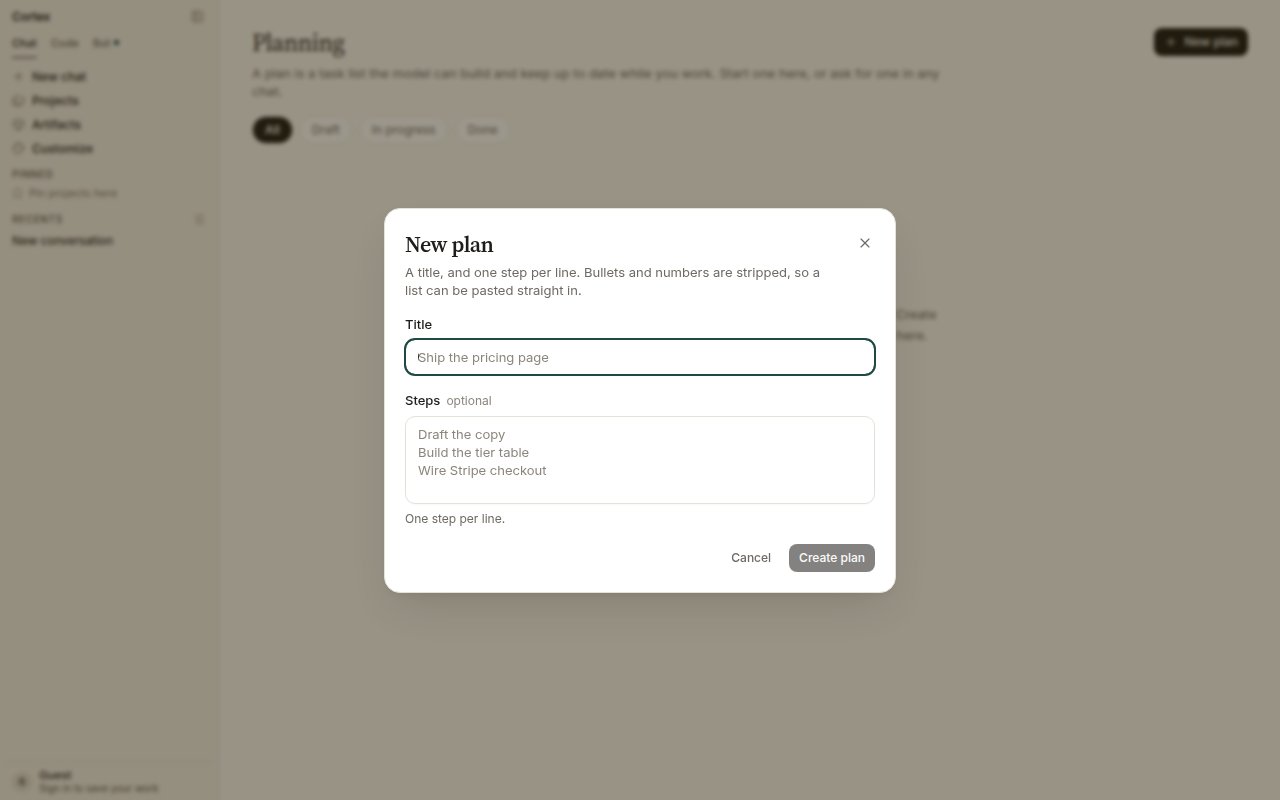
| Filter | Meaning |
| --------------- | ------------------------------ |
| **Draft** | Created, not started |
| **In progress** | Steps are being worked through |
| **Done** | Every step is ticked |
## How plans relate to other things
| Object | What it is |
| ----------------------------------------- | ------------------------------------------------------------------------------------------------- |
| **Plan** | A task list, linked to the chat it came from |
| [Project](/chat/projects) | Instructions plus chats and files |
| [Canvas](/chat/canvases) | A document beside one conversation |
| [Deep Research plan](/chat/deep-research) | The set of questions a research run will answer — a research block on the thread, not a task list |
| [Code Plan mode](/code/interactions) | A read-only mode of a Code session that proposes changes before making them |
| [CLI `/goal`](/cli/goal) | A long-horizon objective the terminal agent keeps working toward |
## Guests and members
Plans persist on a signed-in account. A guest can open the dialog, but a plan needs somewhere to live once the tab closes — sign in first. See [Accounts](/getting-started/accounts).
## States
| Filter | Meaning |
| --------------- | ------------------------------ |
| **Draft** | Created, not started |
| **In progress** | Steps are being worked through |
| **Done** | Every step is ticked |
## How plans relate to other things
| Object | What it is |
| ----------------------------------------- | ------------------------------------------------------------------------------------------------- |
| **Plan** | A task list, linked to the chat it came from |
| [Project](/chat/projects) | Instructions plus chats and files |
| [Canvas](/chat/canvases) | A document beside one conversation |
| [Deep Research plan](/chat/deep-research) | The set of questions a research run will answer — a research block on the thread, not a task list |
| [Code Plan mode](/code/interactions) | A read-only mode of a Code session that proposes changes before making them |
| [CLI `/goal`](/cli/goal) | A long-horizon objective the terminal agent keeps working toward |
## Guests and members
Plans persist on a signed-in account. A guest can open the dialog, but a plan needs somewhere to live once the tab closes — sign in first. See [Accounts](/getting-started/accounts).