> ## Documentation Index
> Fetch the complete documentation index at: https://cortex-foundation-add13747-droid-1a2462c9-cor-444-sanitize.mintlify.site/llms.txt
> Use this file to discover all available pages before exploring further.
# Projects
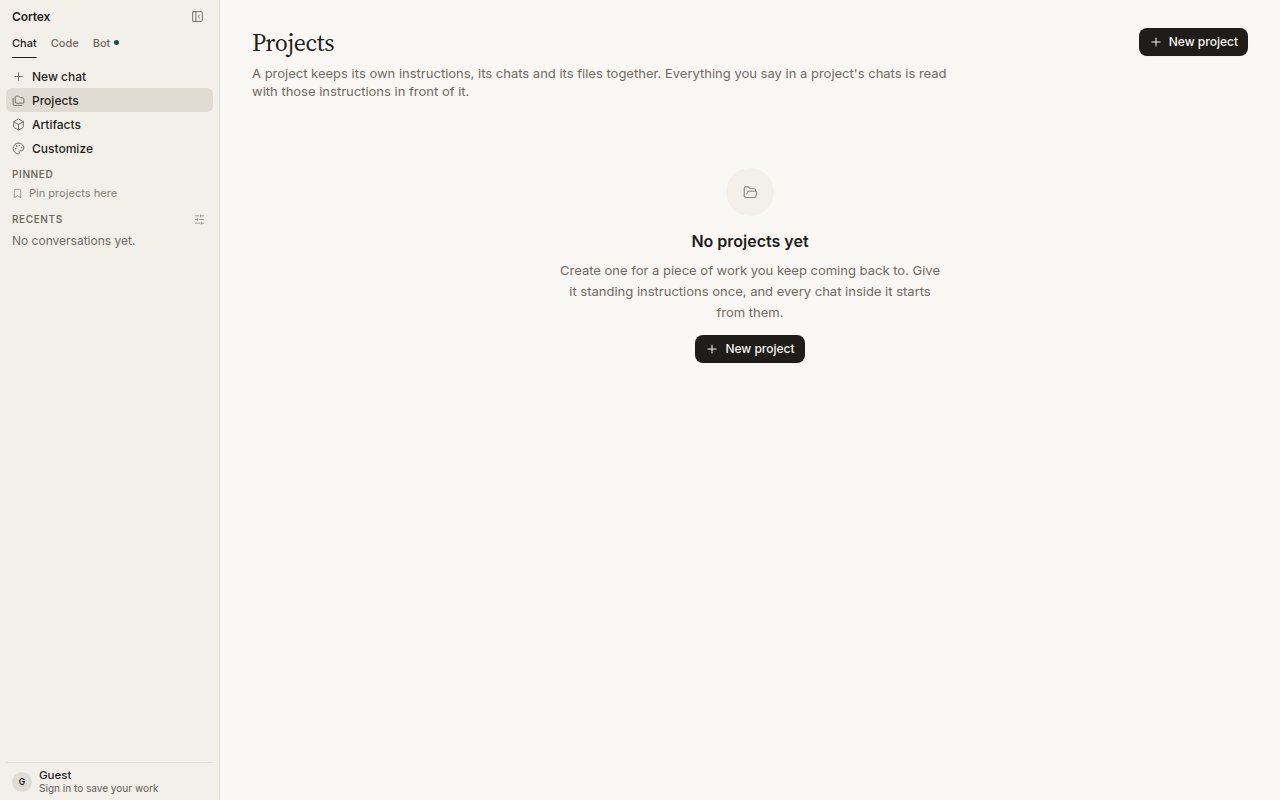
> A project keeps its own instructions, its chats, and its files together. Everything you say in a project's chats is read with those instructions in front of it.
A **project** is a folder with standing instructions. Create one for a piece of work you keep coming back to, give it instructions once, and every chat inside it starts from them. Projects belong to a signed-in account.
 ## What a project holds
| In the project | Not a project |
| -------------------------------------------------------- | ----------------------------------------------------------------------------- |
| **Instructions** — read before every chat in the project | [Memory](/chat/memory) — account-wide, follows you into every chat |
| **Chats** you start inside it, or move into it | [Canvases](/chat/canvases) — a document beside one conversation |
| **Files** you add to it, from [Library](/chat/library) | [Design canvases](/design/canvases) — boards edited in the Design desktop app |
| A place in **Pinned** if you pin it | A shared workspace — projects are yours alone, see [Sharing](/chat/sharing) |
## Create a project
Guests cannot create a project; the chat would have nowhere to live once the tab closes.
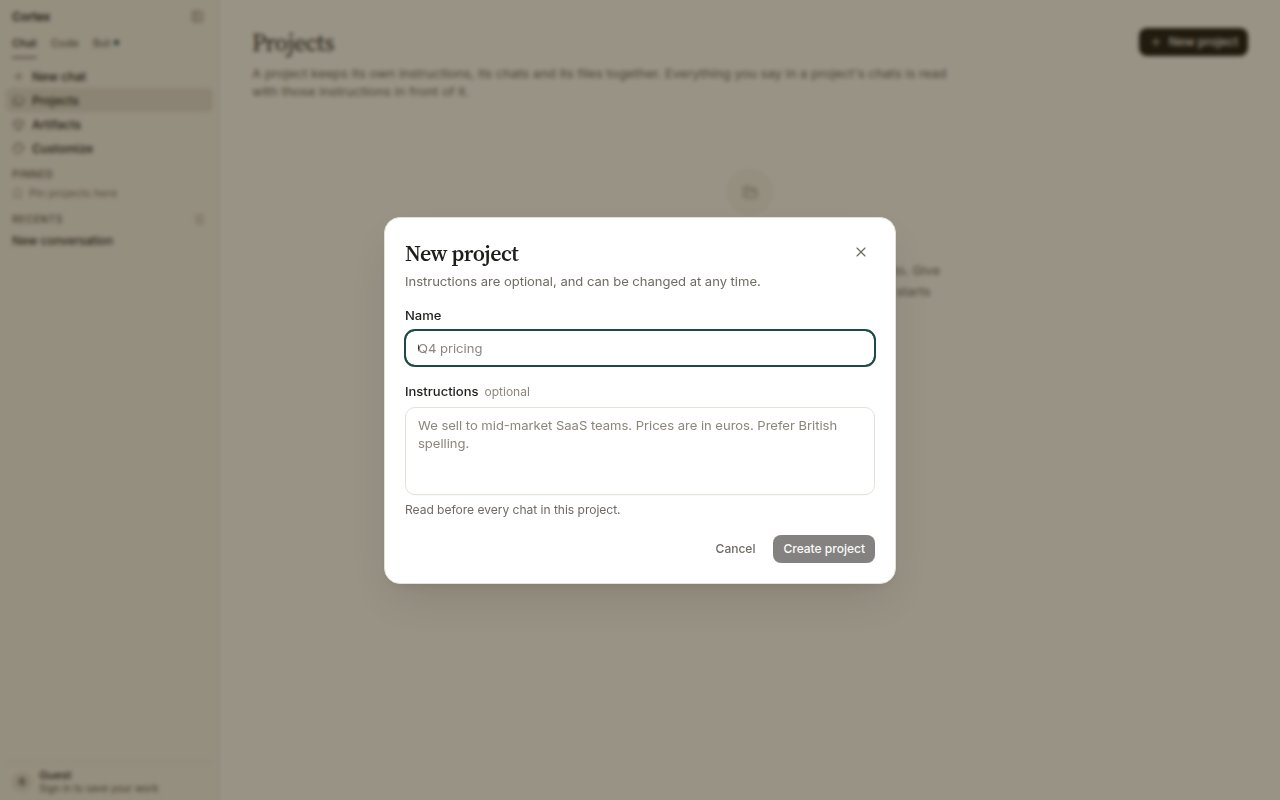
Give it a **Name**. Instructions are optional and can be changed at any time.
Who the audience is, house style, units, what to avoid. For example: *We sell to mid-market SaaS teams. Prices are in euros. Prefer British spelling.*
Open the project and start a new chat there, or move an existing thread in with **Move to project** from the thread header.
## What a project holds
| In the project | Not a project |
| -------------------------------------------------------- | ----------------------------------------------------------------------------- |
| **Instructions** — read before every chat in the project | [Memory](/chat/memory) — account-wide, follows you into every chat |
| **Chats** you start inside it, or move into it | [Canvases](/chat/canvases) — a document beside one conversation |
| **Files** you add to it, from [Library](/chat/library) | [Design canvases](/design/canvases) — boards edited in the Design desktop app |
| A place in **Pinned** if you pin it | A shared workspace — projects are yours alone, see [Sharing](/chat/sharing) |
## Create a project
Guests cannot create a project; the chat would have nowhere to live once the tab closes.
Give it a **Name**. Instructions are optional and can be changed at any time.
Who the audience is, house style, units, what to avoid. For example: *We sell to mid-market SaaS teams. Prices are in euros. Prefer British spelling.*
Open the project and start a new chat there, or move an existing thread in with **Move to project** from the thread header.
 ## Move a chat into a project
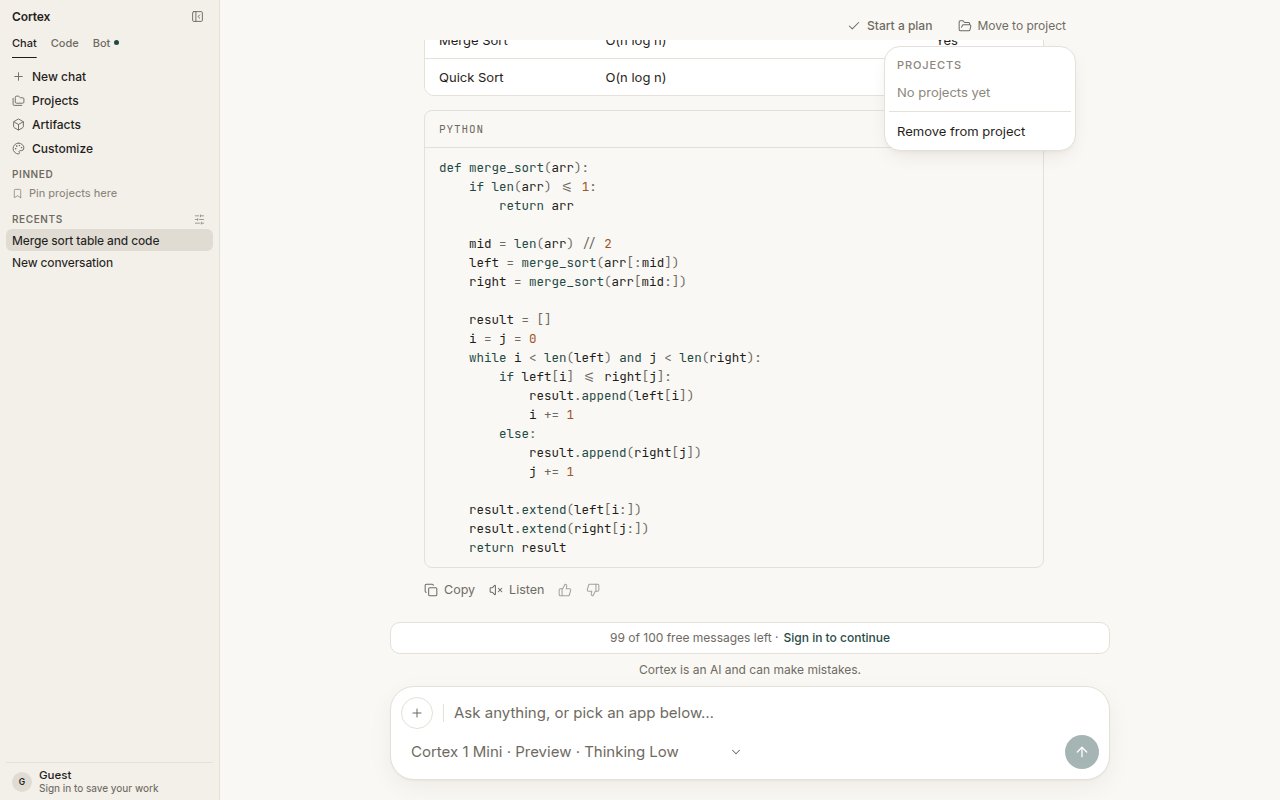
Open the thread and choose **Move to project** in the header. The popover lists your projects — and **Remove from project** if the thread already belongs to one. A thread belongs to at most one project.
## Move a chat into a project
Open the thread and choose **Move to project** in the header. The popover lists your projects — and **Remove from project** if the thread already belongs to one. A thread belongs to at most one project.
 ## Files in a project
Add documents to a project so every chat in it can use them. Files come from your Library — attach from the composer or upload from the project — and a chat receives them as attachments, never as a URL you typed. Generated pictures land in Library too. See [Library](/chat/library).
## Tips
* Keep instructions short and factual. They are read on every turn, so they cost context on every turn.
* One project per ongoing piece of work beats one project per topic. The point is continuity.
* Pin the two or three projects you use daily; the rest stay one click away under **Projects**.
* Plans started from a project's chats stay linked to those chats. See [Plans](/chat/plans).
Cortex Chat is per account. Another account cannot see your projects, and there is no teammate invite on a thread. Plus and Pro plans list **Projects and saved work** among their features — check [Plans](/getting-started/plans) for what your plan includes.
## Files in a project
Add documents to a project so every chat in it can use them. Files come from your Library — attach from the composer or upload from the project — and a chat receives them as attachments, never as a URL you typed. Generated pictures land in Library too. See [Library](/chat/library).
## Tips
* Keep instructions short and factual. They are read on every turn, so they cost context on every turn.
* One project per ongoing piece of work beats one project per topic. The point is continuity.
* Pin the two or three projects you use daily; the rest stay one click away under **Projects**.
* Plans started from a project's chats stay linked to those chats. See [Plans](/chat/plans).
Cortex Chat is per account. Another account cannot see your projects, and there is no teammate invite on a thread. Plus and Pro plans list **Projects and saved work** among their features — check [Plans](/getting-started/plans) for what your plan includes.