> ## Documentation Index
> Fetch the complete documentation index at: https://cortex-foundation-add13747-droid-1a2462c9-cor-444-sanitize.mintlify.site/llms.txt
> Use this file to discover all available pages before exploring further.
# Sign in
> cortex login opens the browser flow; a device code covers machines without one; API keys and tokens cover CI. Credentials live in your OS keyring, never in a file in the repository.
The CLI uses the same Cortex account as the web app. Sign in once per machine; the session is stored in your operating system's keyring.
## Browser sign-in (default)
```bash theme={null}
cortex login
```
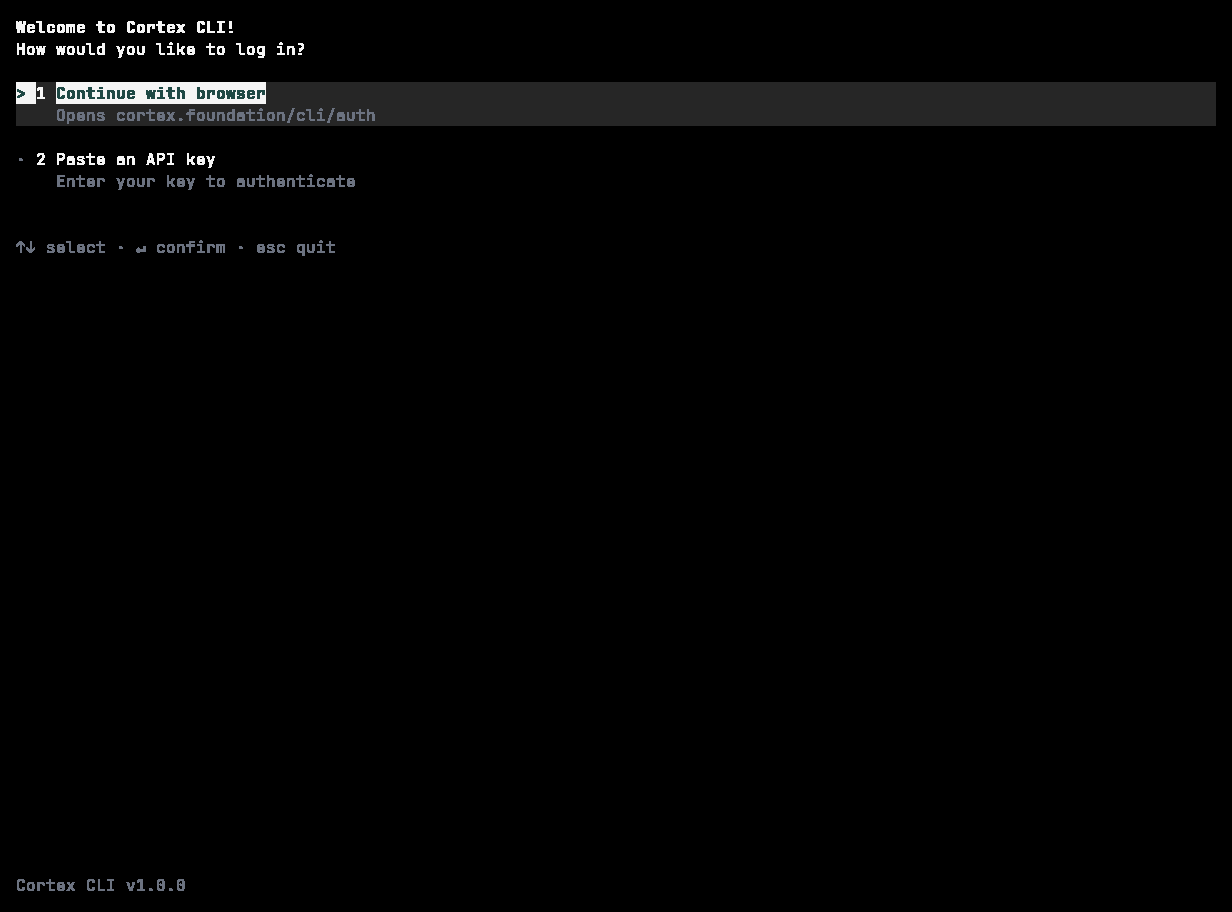
Cortex prints a verification URL and opens it in your browser. Approve the sign-in there and the CLI picks up the session. From inside the TUI, `/login` does the same without leaving your session; the inline screen offers **Continue with browser** or **Paste an API key**.
 ## A machine without a browser
```bash theme={null}
cortex login --device-auth
```
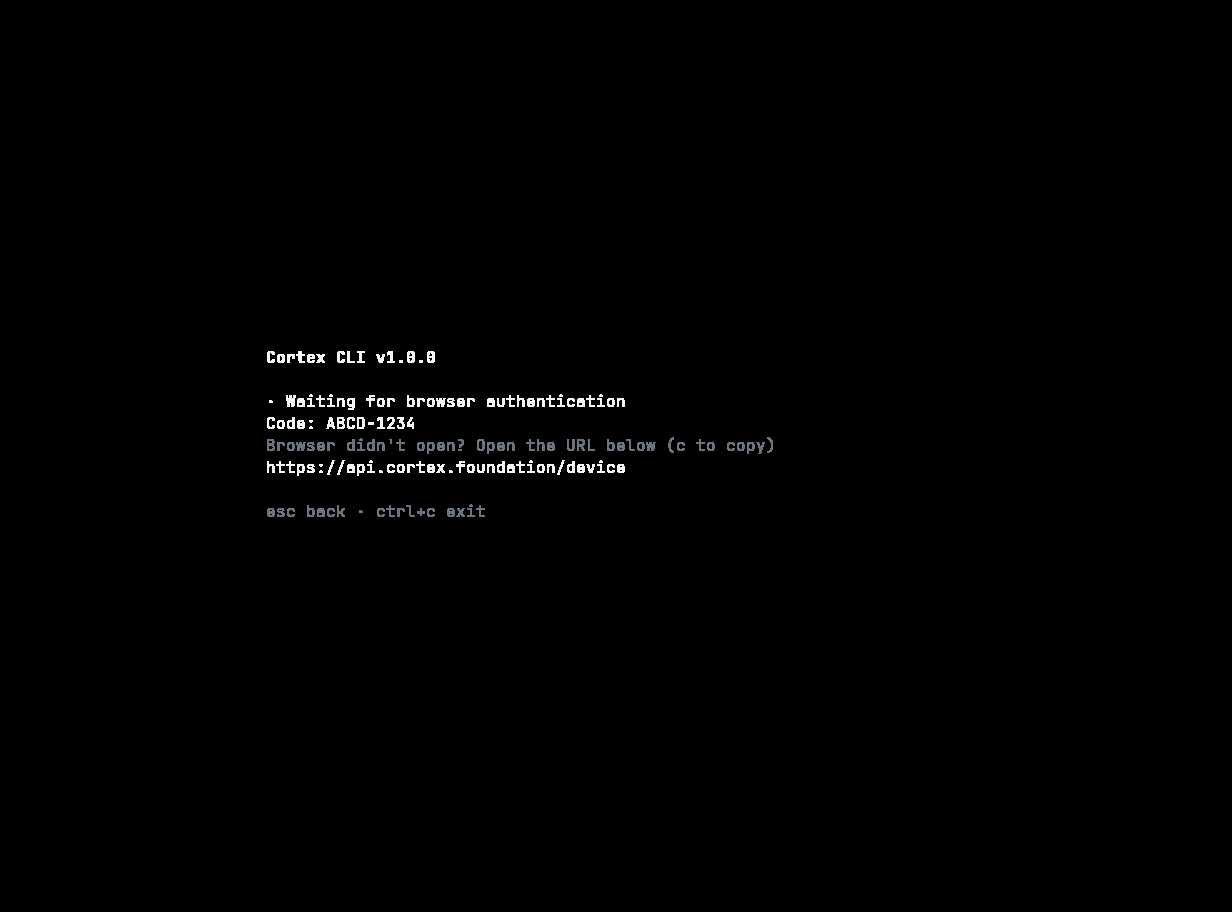
Cortex prints a short code and a URL. Open the URL on any device that has a browser, enter the code, and the CLI continues when the sign-in is approved. Good for servers, containers, and remote shells.
## A machine without a browser
```bash theme={null}
cortex login --device-auth
```
Cortex prints a short code and a URL. Open the URL on any device that has a browser, enter the code, and the CLI continues when the sign-in is approved. Good for servers, containers, and remote shells.
 ## Unattended use: API key or token
For CI and other unattended runs, do not use the browser flow.
```bash theme={null}
# read an API key from stdin — never from the command line
printf '%s' "$CORTEX_API_KEY" | cortex login --with-api-key
# or pass a token your CI secret store populates
cortex login --token "$CORTEX_AUTH_TOKEN"
```
Or skip `cortex login` entirely and set the variable for the job:
| Variable | Purpose |
| ------------------- | --------------------------------------------------------------------------------- |
| `CORTEX_API_KEY` | API key for headless and CI use |
| `CORTEX_AUTH_TOKEN` | A session or bearer token |
| `CORTEX_API_URL` | The API base URL, if your deployment differs from `https://api.cortex.foundation` |
Take the value from your CI secret store. Never write it into a workflow file or commit it.
## Enterprise SSO
`cortex login --sso` is available for organisations that sign in through single sign-on. The web app's sign-in dialog offers the same **Single sign-on (SSO)** route.
## Check and sign out
```bash theme={null}
cortex whoami # the signed-in account
cortex login status # the state of the stored session
cortex logout # asks first
cortex logout --yes
cortex logout --all # every stored credential
```
In the TUI: `/account` (aliases `/whoami`, `/me`), `/login`, `/logout`.
## Where credentials are stored
| Platform | Store |
| -------- | ----------------------------------------------------------------- |
| macOS | Keychain |
| Linux | Secret Service — GNOME Keyring, KWallet, and compatible providers |
| Windows | Credential Manager |
Credentials are deliberately **not** written to a plaintext file in your home directory, and never into the repository. If no keyring is available — a bare container, a headless CI runner — use `CORTEX_API_KEY` or `CORTEX_AUTH_TOKEN` instead of trying to make one work.
## Troubleshooting
| Symptom | Cause | Fix |
| -------------------------------------------------------------- | ----------------------------------------------- | ------------------------------------------------------------------------------------------------------------------------------------ |
| *The coding service is temporarily unavailable* during sign-in | The CLI could not reach `api.cortex.foundation` | Check network access and proxies. The message is deliberately the whole story — Cortex does not surface provider or transport names. |
| Sign-in succeeds but `cortex whoami` fails | The keyring did not persist the session | On Linux, check that a Secret Service provider is running; otherwise fall back to `CORTEX_API_KEY` |
| A CI job cannot sign in | It tried the browser flow | Use `--with-api-key`, `--token`, or set `CORTEX_API_KEY` in the job environment |
| The TUI asks you to sign in again | The stored session expired or was cleared | `cortex login` |
## Related
* [Install](/cli/install)
* [Configuration](/cli/configuration) — every environment variable the CLI reads.
* [Accounts](/getting-started/accounts) — what a signed-in account unlocks everywhere.
## Unattended use: API key or token
For CI and other unattended runs, do not use the browser flow.
```bash theme={null}
# read an API key from stdin — never from the command line
printf '%s' "$CORTEX_API_KEY" | cortex login --with-api-key
# or pass a token your CI secret store populates
cortex login --token "$CORTEX_AUTH_TOKEN"
```
Or skip `cortex login` entirely and set the variable for the job:
| Variable | Purpose |
| ------------------- | --------------------------------------------------------------------------------- |
| `CORTEX_API_KEY` | API key for headless and CI use |
| `CORTEX_AUTH_TOKEN` | A session or bearer token |
| `CORTEX_API_URL` | The API base URL, if your deployment differs from `https://api.cortex.foundation` |
Take the value from your CI secret store. Never write it into a workflow file or commit it.
## Enterprise SSO
`cortex login --sso` is available for organisations that sign in through single sign-on. The web app's sign-in dialog offers the same **Single sign-on (SSO)** route.
## Check and sign out
```bash theme={null}
cortex whoami # the signed-in account
cortex login status # the state of the stored session
cortex logout # asks first
cortex logout --yes
cortex logout --all # every stored credential
```
In the TUI: `/account` (aliases `/whoami`, `/me`), `/login`, `/logout`.
## Where credentials are stored
| Platform | Store |
| -------- | ----------------------------------------------------------------- |
| macOS | Keychain |
| Linux | Secret Service — GNOME Keyring, KWallet, and compatible providers |
| Windows | Credential Manager |
Credentials are deliberately **not** written to a plaintext file in your home directory, and never into the repository. If no keyring is available — a bare container, a headless CI runner — use `CORTEX_API_KEY` or `CORTEX_AUTH_TOKEN` instead of trying to make one work.
## Troubleshooting
| Symptom | Cause | Fix |
| -------------------------------------------------------------- | ----------------------------------------------- | ------------------------------------------------------------------------------------------------------------------------------------ |
| *The coding service is temporarily unavailable* during sign-in | The CLI could not reach `api.cortex.foundation` | Check network access and proxies. The message is deliberately the whole story — Cortex does not surface provider or transport names. |
| Sign-in succeeds but `cortex whoami` fails | The keyring did not persist the session | On Linux, check that a Secret Service provider is running; otherwise fall back to `CORTEX_API_KEY` |
| A CI job cannot sign in | It tried the browser flow | Use `--with-api-key`, `--token`, or set `CORTEX_API_KEY` in the job environment |
| The TUI asks you to sign in again | The stored session expired or was cleared | `cortex login` |
## Related
* [Install](/cli/install)
* [Configuration](/cli/configuration) — every environment variable the CLI reads.
* [Accounts](/getting-started/accounts) — what a signed-in account unlocks everywhere.