> ## Documentation Index
> Fetch the complete documentation index at: https://cortex-foundation-add13747-droid-1a2462c9-cor-444-sanitize.mintlify.site/llms.txt
> Use this file to discover all available pages before exploring further.
# Code on desktop
> This PC and SSH hosts for Code sessions exist on the desktop app and the CLI. The browser stays Cloud-only — that is where the code runs, not a missing feature.
In the browser, a Code session runs in the Cloud. Install the [Cortex desktop app](/getting-started/desktop) or the [CLI](/cli) and two more hosts appear: **This PC**, which runs the workspace tools on your own machine, and **SSH**, which runs them over the shell of a host you register.
## Where each host lives
| Host | Browser | Desktop app | CLI | Desktop for the agent |
| ----------- | ------- | ----------- | ------------- | --------------------- |
| **Cloud** | Yes | Yes | Yes (default) | No — headless guest |
| **This PC** | No | Yes | Yes, opt-in | Your machine |
| **SSH** | No | Yes | Yes, opt-in | Shell only |
Web Code is Cloud-only by design: the browser has no way to run tools on your disk. That is host placement, not a missing catalog entry.
## This PC
The agent works in a project directory on your machine, using your toolchains, your network, and your hardware. Approvals and sandbox policy apply exactly as they do elsewhere — see [Modes and permissions](/cli/modes-and-permissions) for the CLI's controls.
Good for: private dependencies, local databases, GPU work, anything the Cloud guest cannot reach.
## SSH
The agent runs shell tools on a host you register, over SSH. There is no desktop on that host; it is a shell. Good for: build boxes and servers you already operate.
## Choosing a host
**Desktop app:** pick the host when you start the session.
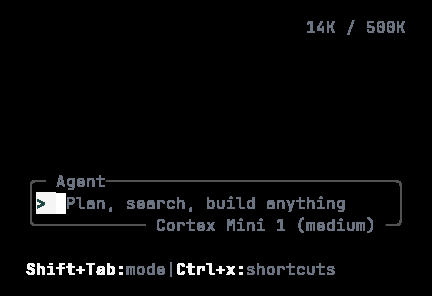
**CLI:** the TUI and `cortex exec` use the Cloud unless you opt in:
```bash theme={null}
CORTEX_COMPUTER=this_pc cortex # run tools on this machine
CORTEX_COMPUTER=ssh cortex # run tools over SSH
CORTEX_SSH_HOST=build-box cortex # naming an SSH host also selects SSH
```
This PC and SSH need an **already connected Code session**. Cortex will not create one on the fly and will not substitute the Cloud silently; if you select a host without a connected session, the CLI tells you so in plain words. Either resume a session that already has the host, or unset `CORTEX_COMPUTER` to use the Cloud. See [CLI configuration](/cli/configuration).
 ## Bot has the same shape
Bot's Computer rail follows the same rule: **Cloud** in the browser, **This PC** on the Bot desktop app, **SSH** as shell only. See [Bot computer](/bot/computer).
## Related
* [Desktop app](/getting-started/desktop) — download and sign in.
* [Cloud runtimes](/code/cloud) — the default host.
* [Code in the terminal](/code/cli)
## Bot has the same shape
Bot's Computer rail follows the same rule: **Cloud** in the browser, **This PC** on the Bot desktop app, **SSH** as shell only. See [Bot computer](/bot/computer).
## Related
* [Desktop app](/getting-started/desktop) — download and sign in.
* [Cloud runtimes](/code/cloud) — the default host.
* [Code in the terminal](/code/cli)