> ## Documentation Index
> Fetch the complete documentation index at: https://cortex-foundation-add13747-droid-1a2462c9-cor-444-sanitize.mintlify.site/llms.txt
> Use this file to discover all available pages before exploring further.
# Code quickstart
> Sign in, connect GitHub, start a Cloud session on a repository, and read the timeline — in the web app.
This quickstart uses the web app, where Code runs in the Cloud. For This PC or SSH, use the [desktop app](/code/desktop) or the [CLI](/cli/quickstart).
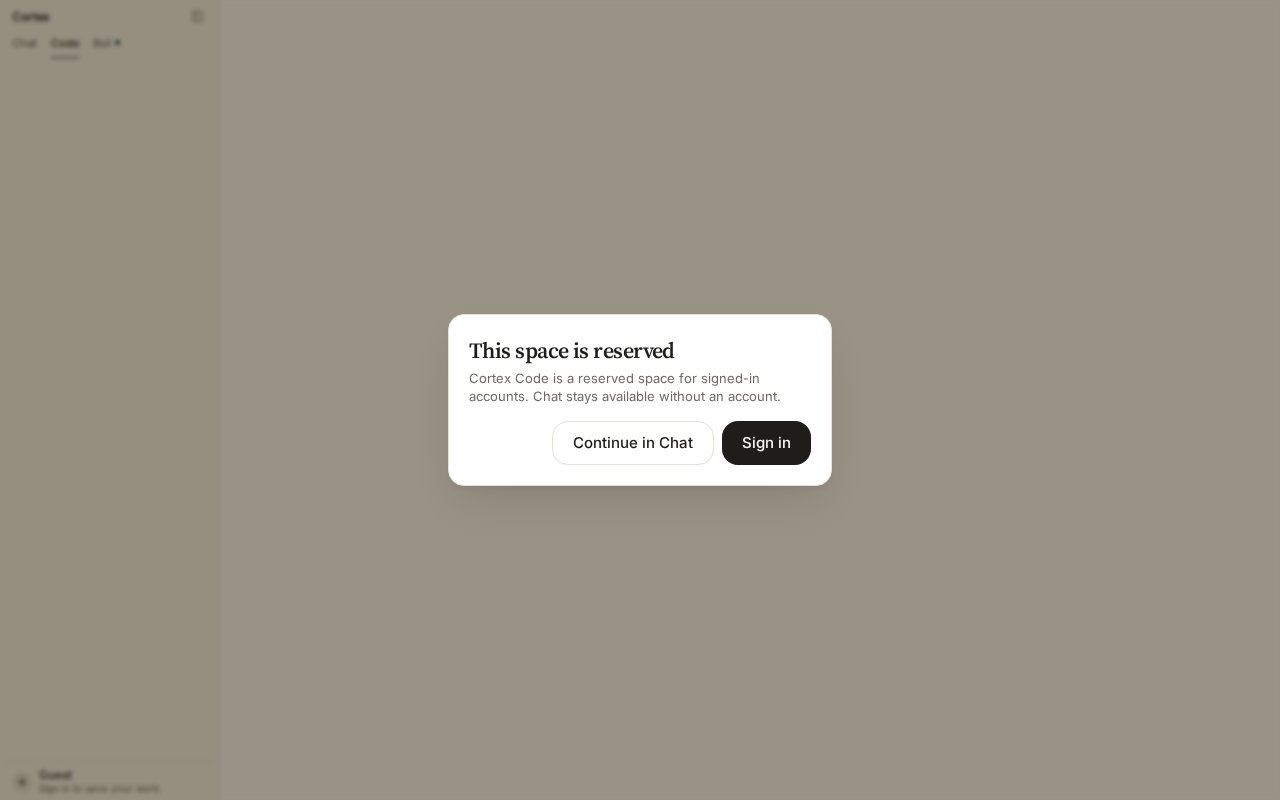 Open [cortex.foundation](https://cortex.foundation) and sign in from the sidebar footer. Then choose **Code** in the product switcher. If you see **This space is reserved**, you are still a guest — choose **Sign in**.
On Code Home choose **Connect GitHub** (also in the repository picker and under **Settings → Integrations**). Approve the connection on GitHub. There is no personal-access-token field. If the button reads **Reconnect**, an earlier grant lapsed — reconnect and continue. See [Connect GitHub](/code/github).
Choose a repository. Cortex starts a Cloud guest for it, attaches, and prepares the environment — the agent installs what the repository needs. Web Code is Cloud-only; you do not pick a host here.
Pick **Ask**, **Plan**, or **Agent** on the turn. Start with **Plan** if you want to see the approach before anything changes, or **Agent** to let it work.
```text theme={null}
Add a /healthz endpoint that returns 200 with the build version, and cover it with a test.
```
The session shows files read, edits made, commands run, and the plan when there is one — as it happens, not a bubble dump afterwards. The header shows run state; **Stop** cancels the live turn. Follow up with another turn in the same session, switching mode if you want a tighter or looser loop.
Ask the agent to commit and open a pull request, or review the diff yourself. If your repository has [Cortex Security](/code/security) installed, the pull request gets a review as a GitHub check run.
## What to try next
| Goal | Do this |
| ------------------------------------------- | ------------------------------------------------------------------------------------------------- |
| Understand an unfamiliar area | An **Ask** turn: *Explain how requests are authenticated in this service.* |
| Estimate a change without touching anything | A **Plan** turn: the agent writes a plan with a mermaid diagram |
| Work from your own machine | Install the [desktop app](/getting-started/desktop) and choose **This PC** |
| Automate in CI | `cortex exec --auto read-only --git-diff "review this diff"` — see [Headless runs](/cli/headless) |
## Related
* [Sessions](/code/sessions) · [Ask, Plan, Agent](/code/interactions) · [Cloud runtimes](/code/cloud)
* [Troubleshooting](/code/troubleshooting)
Open [cortex.foundation](https://cortex.foundation) and sign in from the sidebar footer. Then choose **Code** in the product switcher. If you see **This space is reserved**, you are still a guest — choose **Sign in**.
On Code Home choose **Connect GitHub** (also in the repository picker and under **Settings → Integrations**). Approve the connection on GitHub. There is no personal-access-token field. If the button reads **Reconnect**, an earlier grant lapsed — reconnect and continue. See [Connect GitHub](/code/github).
Choose a repository. Cortex starts a Cloud guest for it, attaches, and prepares the environment — the agent installs what the repository needs. Web Code is Cloud-only; you do not pick a host here.
Pick **Ask**, **Plan**, or **Agent** on the turn. Start with **Plan** if you want to see the approach before anything changes, or **Agent** to let it work.
```text theme={null}
Add a /healthz endpoint that returns 200 with the build version, and cover it with a test.
```
The session shows files read, edits made, commands run, and the plan when there is one — as it happens, not a bubble dump afterwards. The header shows run state; **Stop** cancels the live turn. Follow up with another turn in the same session, switching mode if you want a tighter or looser loop.
Ask the agent to commit and open a pull request, or review the diff yourself. If your repository has [Cortex Security](/code/security) installed, the pull request gets a review as a GitHub check run.
## What to try next
| Goal | Do this |
| ------------------------------------------- | ------------------------------------------------------------------------------------------------- |
| Understand an unfamiliar area | An **Ask** turn: *Explain how requests are authenticated in this service.* |
| Estimate a change without touching anything | A **Plan** turn: the agent writes a plan with a mermaid diagram |
| Work from your own machine | Install the [desktop app](/getting-started/desktop) and choose **This PC** |
| Automate in CI | `cortex exec --auto read-only --git-diff "review this diff"` — see [Headless runs](/cli/headless) |
## Related
* [Sessions](/code/sessions) · [Ask, Plan, Agent](/code/interactions) · [Cloud runtimes](/code/cloud)
* [Troubleshooting](/code/troubleshooting)