> ## Documentation Index
> Fetch the complete documentation index at: https://cortex-foundation-add13747-droid-1a2462c9-cor-444-sanitize.mintlify.site/llms.txt
> Use this file to discover all available pages before exploring further.
# Accounts and sign-in
> Chat works as a guest. Sign in once for projects, files, Code, Bot, and the CLI — the same account everywhere.
You sign in from the product: choose **Sign in to save your work** in the sidebar footer, or the **Sign in** button on any public page at [cortex.foundation](https://cortex.foundation). This site describes what the account unlocks; it does not document the sign-in protocol.
 ## Guest and member
A **guest** is anyone using Chat before signing in. A **member** is a signed-in account.
| | Guest | Member |
| -------------------------------- | -------------------------------------------------------------------- | ---------------------------------- |
| Chat conversations | Yes, within the guest allowance | Yes |
| Projects, Library, memory, plans | No | Yes |
| Connected apps and MCP servers | No | Yes |
| GitHub connection | No | Yes |
| Code and Bot working UI | No — the public product page and the **This space is reserved** gate | Yes |
| Design canvases | No | Yes |
| CLI and desktop apps | No | Yes |
| Data export and account deletion | No | Yes, after two-factor confirmation |
The rule behind the table: a guest cannot create anything it could not come back to revoke. That is why a guest cannot connect an app, hold a GitHub grant, or own a bot.
### The guest allowance
The banner above the composer shows the live number — at the time of writing, **100 messages today** and **500 this month**, with reset timers under **Settings → Plan & billing**. Guest chats live in the browser session; sign in before you close the tab if you want to keep them.
## Ways to sign in
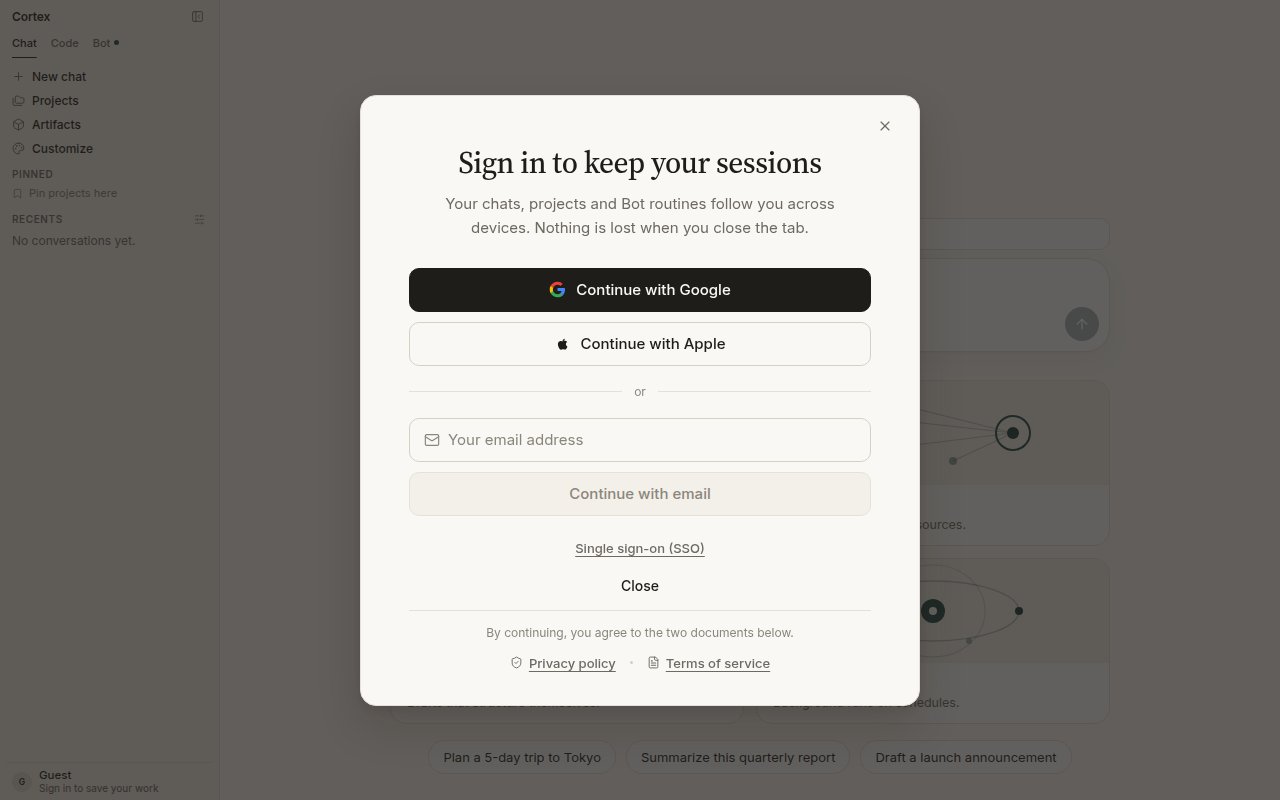
The dialog offers **Continue with Google**, **Continue with Apple**, an email address, and **Single sign-on (SSO)** for organisations. Whatever you choose, it is one account: the web app, the desktop app, the Bot desktop app, and the CLI all recognise it.
The CLI signs in from the terminal with `cortex login`, which opens the browser flow; machines without a browser use a device code. See [CLI sign-in](/cli/sign-in).
## After you sign in
* **Chat** keeps your conversations, projects, Library, memory, and plans across devices.
* **Code** opens the working UI at `/code` instead of the guest gate. Connect GitHub from Code Home or **Settings → Integrations**.
* **Bot** opens the setup form on first visit, then your list of bots in the sidebar.
* **Settings → Account** switches from “You're browsing as a guest” to your account controls.
## Your data
**Settings → Data & privacy** holds export and deletion. Signed-in members confirm with an authenticator app first. Deletion takes effect within 30 days. What Cortex stores: your account details, conversations and attachments while history is on, saved memories, and billing records. The content of connected apps is read at question time and discarded — it is never stored. See [Security](/security/overview).
Cortex Chat is per account, not a shared workspace. There is no teammate invite on a thread. See [Sharing and teams](/chat/sharing).
## Troubleshooting
| What you see | What it means |
| ----------------------------------------------- | --------------------------------------------------------------------------------------------- |
| **This space is reserved** on `/code` or `/bot` | You are a guest. Sign in, or **Continue in Chat**. |
| **Sign in to continue** in the composer banner | The guest allowance for today or this month is used up. Sign in to continue on the Free plan. |
| Two-factor prompt on export or deletion | Expected. A signed-in account confirms destructive actions with an authenticator app. |
| The CLI asks you to sign in again | The stored session expired or was cleared. Run `cortex login`. |
## Guest and member
A **guest** is anyone using Chat before signing in. A **member** is a signed-in account.
| | Guest | Member |
| -------------------------------- | -------------------------------------------------------------------- | ---------------------------------- |
| Chat conversations | Yes, within the guest allowance | Yes |
| Projects, Library, memory, plans | No | Yes |
| Connected apps and MCP servers | No | Yes |
| GitHub connection | No | Yes |
| Code and Bot working UI | No — the public product page and the **This space is reserved** gate | Yes |
| Design canvases | No | Yes |
| CLI and desktop apps | No | Yes |
| Data export and account deletion | No | Yes, after two-factor confirmation |
The rule behind the table: a guest cannot create anything it could not come back to revoke. That is why a guest cannot connect an app, hold a GitHub grant, or own a bot.
### The guest allowance
The banner above the composer shows the live number — at the time of writing, **100 messages today** and **500 this month**, with reset timers under **Settings → Plan & billing**. Guest chats live in the browser session; sign in before you close the tab if you want to keep them.
## Ways to sign in
The dialog offers **Continue with Google**, **Continue with Apple**, an email address, and **Single sign-on (SSO)** for organisations. Whatever you choose, it is one account: the web app, the desktop app, the Bot desktop app, and the CLI all recognise it.
The CLI signs in from the terminal with `cortex login`, which opens the browser flow; machines without a browser use a device code. See [CLI sign-in](/cli/sign-in).
## After you sign in
* **Chat** keeps your conversations, projects, Library, memory, and plans across devices.
* **Code** opens the working UI at `/code` instead of the guest gate. Connect GitHub from Code Home or **Settings → Integrations**.
* **Bot** opens the setup form on first visit, then your list of bots in the sidebar.
* **Settings → Account** switches from “You're browsing as a guest” to your account controls.
## Your data
**Settings → Data & privacy** holds export and deletion. Signed-in members confirm with an authenticator app first. Deletion takes effect within 30 days. What Cortex stores: your account details, conversations and attachments while history is on, saved memories, and billing records. The content of connected apps is read at question time and discarded — it is never stored. See [Security](/security/overview).
Cortex Chat is per account, not a shared workspace. There is no teammate invite on a thread. See [Sharing and teams](/chat/sharing).
## Troubleshooting
| What you see | What it means |
| ----------------------------------------------- | --------------------------------------------------------------------------------------------- |
| **This space is reserved** on `/code` or `/bot` | You are a guest. Sign in, or **Continue in Chat**. |
| **Sign in to continue** in the composer banner | The guest allowance for today or this month is used up. Sign in to continue on the Free plan. |
| Two-factor prompt on export or deletion | Expected. A signed-in account confirms destructive actions with an authenticator app. |
| The CLI asks you to sign in again | The stored session expired or was cleared. Run `cortex login`. |