

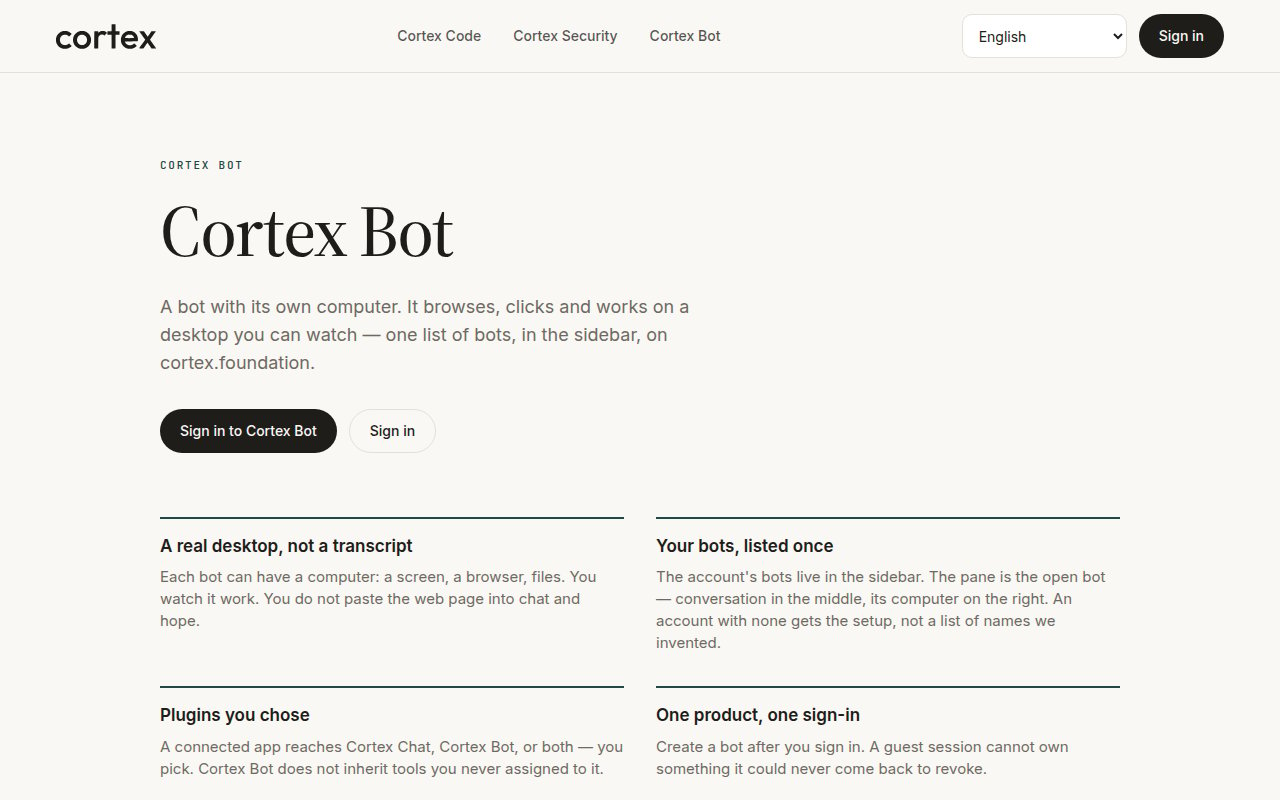
cortex.foundation/bot — the public product page a guest sees. Sign in to create a bot.
Start here
Quickstart
Sign in, create a bot, open its computer, give it a first task.
Overview
One list of bots, first-run setup, who can drive a bot.
Bot desktop
A desktop app built around agents, routines, and channels — no Chat or Code sidebar.
Core guides
Computer
A live desktop on a Cloud guest, not a screenshot slideshow. Open desktop, Sleep, and the three hosts.
Tools
The parent catalog — shell, computer use, browser, web, memory, skills, messaging, nested tasks.
Approvals
Allow / Deny / Always. Nothing consequential runs until you choose.
Routines
Scheduled work on a bot you own, on your local weekday hours.
Skills
First-party instruction bundles a bot can follow.
Connected apps
A connection reaches Chat, Bot, or both — you pick, under Customize → Connectors.
Advanced
- How Bot works — user-visible bubbles only, no round counter, waking a hibernated guest.
- Troubleshooting — Connecting versus Stream Unavailable, parked steps, the setup form.