

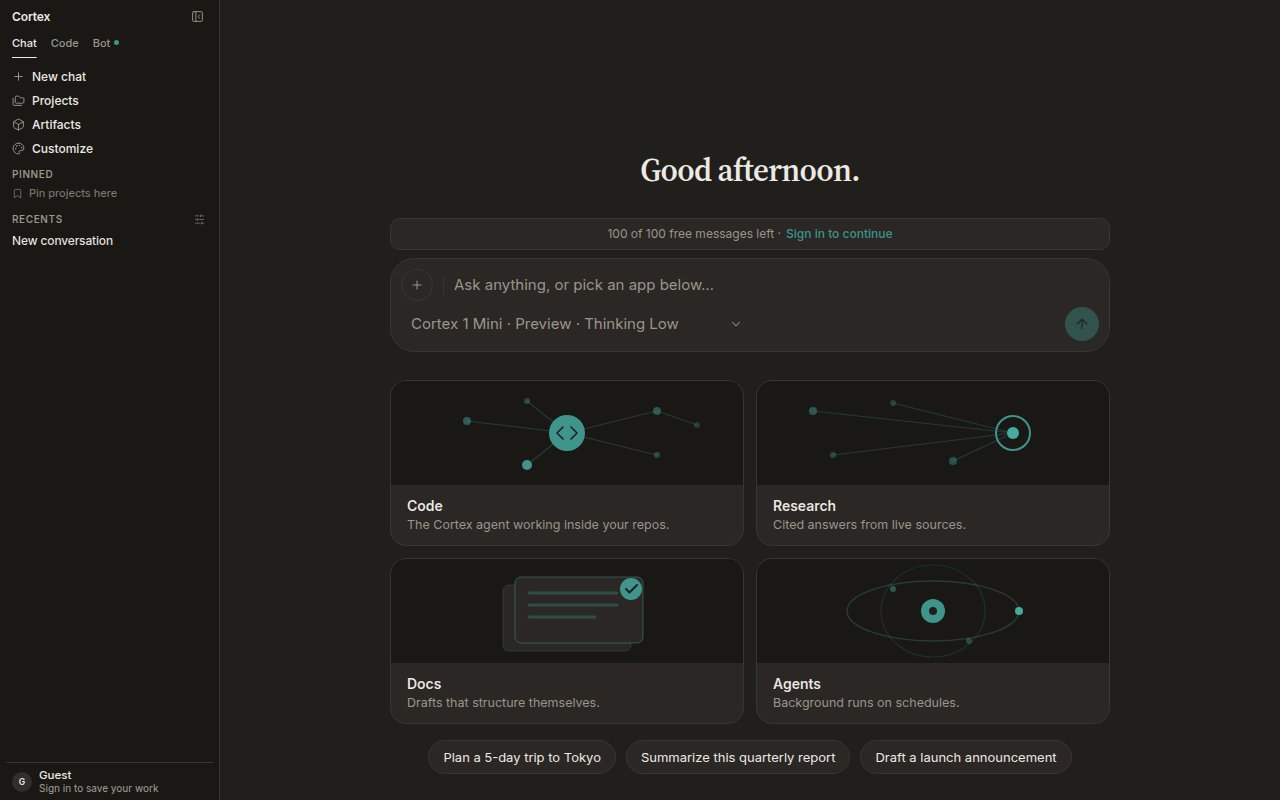
Chat home in the dark theme — the composer with its model chip and the four starting points: Code, Research, Docs, Agents. Theme is under Settings → General.
Start here

Quickstart
First message, attach a file, pick a model, keep the thread in a project.
Overview
What Chat is for, what lives where in the sidebar, and when to switch to Code or Bot.
Accounts
Guest allowance versus a signed-in member, and what each can do.
Core guides
Projects
Standing instructions, chats, and files kept together. Every chat in a project starts from its instructions.
Library
Everything you uploaded and everything the assistant produced. Files stay when a chat is deleted.
Plans
Turn a long answer into steps you can tick off. Start one from any chat or from Planning.
Models and thinking
Cortex 1 Mini, Cortex Teutonic-1, the Thinking level, and what happens at peak hours.
Tools and connectors
Built-in tools, connected apps, GitHub, and MCP servers — and which product each connection reaches.
Sharing and teams
Chat is per account. What that means for projects, plans, and threads.
Research and media
Deep Research
Plan the questions, read live sources, write a cited report.
Image generation
Cortex-Image-1 from the composer. Quota, not a paywall, on Free and Guest.
Origin check
Ask whether attached media is authentic. Fails closed when it cannot run.
Voice
Dictate with the mic and hear answers with Listen — when the deployment supports them.
Context that carries over
- Memory — standing preferences and facts, reviewable and deletable one by one.
- Canvases — a document sidecar beside the conversation, drafted by Cortex or by you.
Under the hood
- How Chat works — the tool loop, compaction, and Chat’s round budget.
- Streaming — tokens, then tools, then the finished reply; what happens on a dropped connection.
- Settings — theme, language, shortcuts, defaults, privacy.