

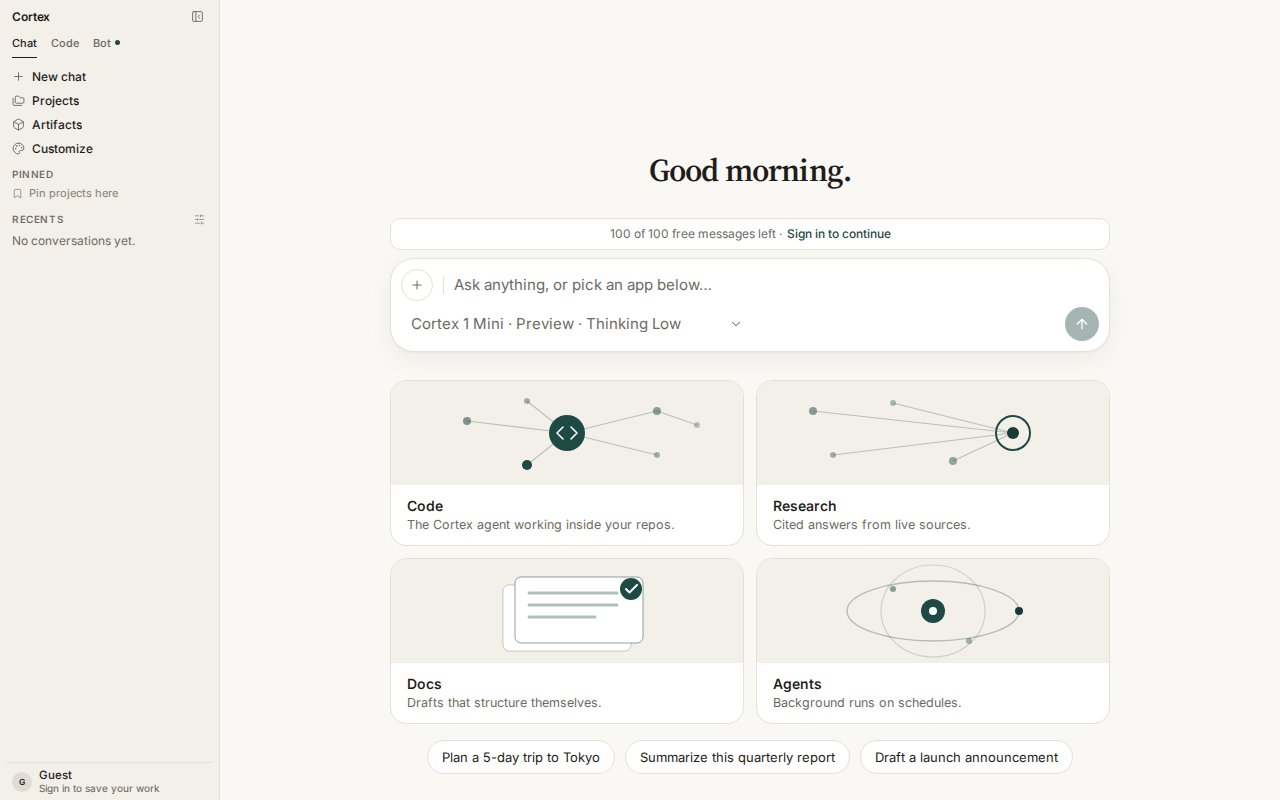
Cortex Chat home as a guest — Chat, Code, and Bot in the sidebar, the composer ready, and 100 free messages before you sign in.
What you need
1
Open Chat
Go to cortex.foundation. Chat is the default surface and works before you sign in. The banner above the composer shows how many free guest messages remain today.
2
Send a first message
Type in the composer and press Enter. The answer streams in as it is written; press Esc to stop a response. Try one of the suggestions under the composer, or paste a document and ask for a summary.
3
Attach a file or pick a mode
The + button on the composer offers Attach file, Image, and Check origin. The model chip below the text box switches between Cortex 1 Mini and Cortex Teutonic-1, sets the Thinking level, and turns on Deep Research.
4
Sign in when you want more
Choose Sign in to save your work in the sidebar footer. A signed-in account keeps chats, projects, Library files, plans, and Bot routines across devices, and unlocks Code and Bot. See Accounts.
5
Pick your next surface
Install the desktop app or the CLI
The browser runs Chat, Code Cloud, and Bot Cloud. This PC and SSH hosts exist only on the desktop app and the CLI — that is where the code runs, not a missing feature in the browser.Download CortexInstall the CLI
Then pick a surface

Chat guides
Projects, Library, plans, models, tools, research, and images.
Code guides
Sessions in an isolated Cloud guest, GitHub, Ask / Plan / Agent, pull-request review.

Bot guides
Always-on agents with their own computer, approvals, routines, and skills.

Design guides
Persistable canvases hosted from Chat or Code, edited in the Design desktop app.
Frequently asked
Do I need an account to try Cortex?
Do I need an account to try Cortex?
No. Chat works as a guest with a daily and monthly message allowance (100 messages today and 500 this month at the time of writing — the banner above the composer shows the live numbers). Everything that must survive a closed tab — projects, files, memory, Code, Bot — needs a signed-in account.
Where does my code run?
Where does my code run?
Web Code runs in an isolated Cloud guest. Chat’s Python tool is a small snippet sandbox with no workspace. Bot’s computer is a Cloud guest with a desktop. This PC and SSH are desktop and CLI hosts. See Security.
Why does /code show “This space is reserved”?
Why does /code show “This space is reserved”?
You are not signed in. Code and Bot are member surfaces so that a guest session can never create something it cannot come back to revoke. Choose Sign in, or Continue in Chat.
Is there a public inference API?
Is there a public inference API?
Not on this site. The inference Platform API is coming soon and has no endpoints to document yet. The API tab covers the problem-document format the app already uses.