

Cookies and consent
Necessary cookies always run: session, language, and your cookie preference. Optional analytics stay off until you allow them, and a Global Privacy Control signal keeps them off. Nothing in the current build loads an optional tracker; the preference is recorded so a future one cannot fire without it.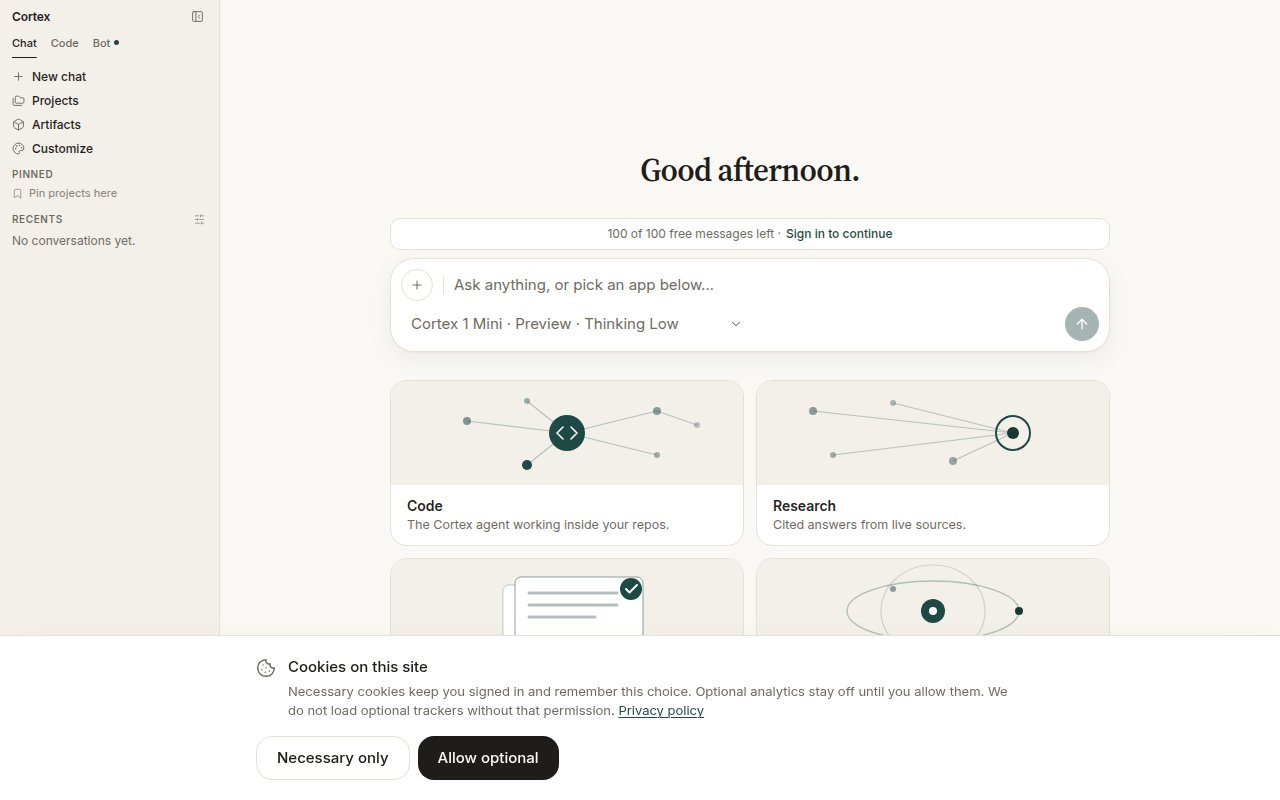
The consent banner on first visit. Necessary only is a complete choice.
What Cortex stores
From Settings → Data & privacy, in the product’s own words: your account details, conversations and attachments while history is on, saved memories, and billing records. The content of connected apps is never stored — Cortex reads it at question time, then discards it.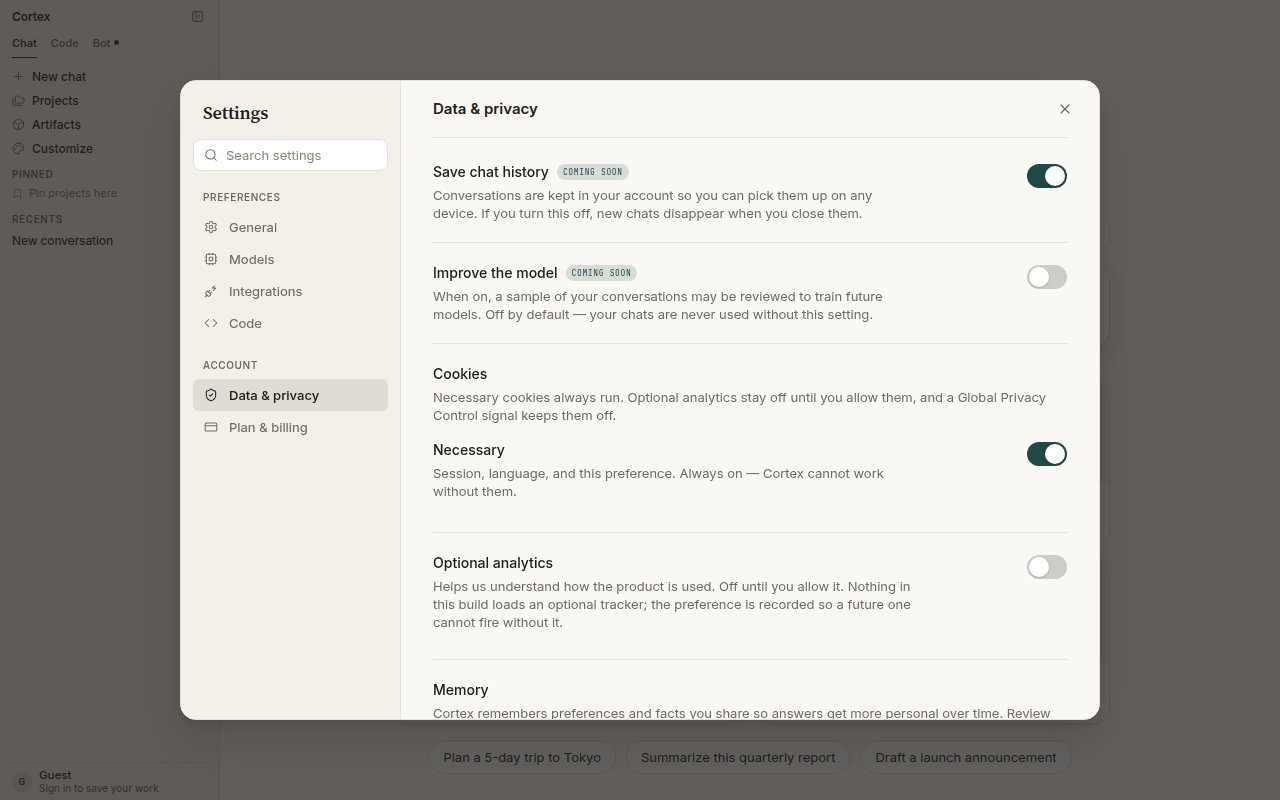
Settings → Data & privacy: chat history, model improvement (off by default), cookies, and optional analytics.
Permissions
A guest cannot connect a plugin or MCP server, hold a GitHub grant, create a bot, or open Code’s working UI. That is fail-closed by design: a guest session cannot be signed back into to revoke a grant later, so it is never allowed to create one. Connected apps are scoped explicitly. Under Customize → Connectors you choose whether each connection is available to Cortex Chat, Cortex Bot, or both; Bot never inherits a tool you did not assign to it. You stay signed in with the provider — Cortex never sees your passwords.Where code runs
Do not mix them up. Chat Python cannot see a Code repository, and a Code session cannot reach a Bot’s desktop.
Consequential steps ask first. In Bot, dangerous computer actions and connected-app changes park behind Allow / Deny / Always. In the CLI, every session runs under an approval policy and a sandbox, and the agent asks before it does anything consequential — see Modes and permissions.
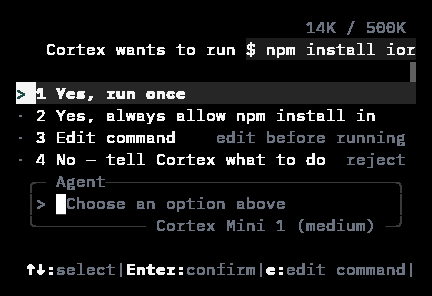
The CLI asking before it runs an install: run once, always allow in this project, edit the command, or decline.
Errors never name a vendor
User-facing error text names a Cortex surface, never a subprocessor. The CLI’s outage message is deliberately just The coding service is temporarily unavailable. Problem documents carry a stablecode and a request_id you can quote when reporting an issue — see Errors.
Cortex Security (pull requests)
GitHub App review of pull requests is a product, at/code/security in the app and documented under Cortex Security. The public link cortex.foundation/security is that product’s page, not this article.