

Modes: Agent, Plan, Ask
Shift+Tab cycles them;/mode opens the picker. The footer shows the current one.
Plan and Ask are harness locks: the mutating tools are withheld, not merely discouraged. In Plan mode the composer border reads Plan · no edits and the agent drafts a plan first.
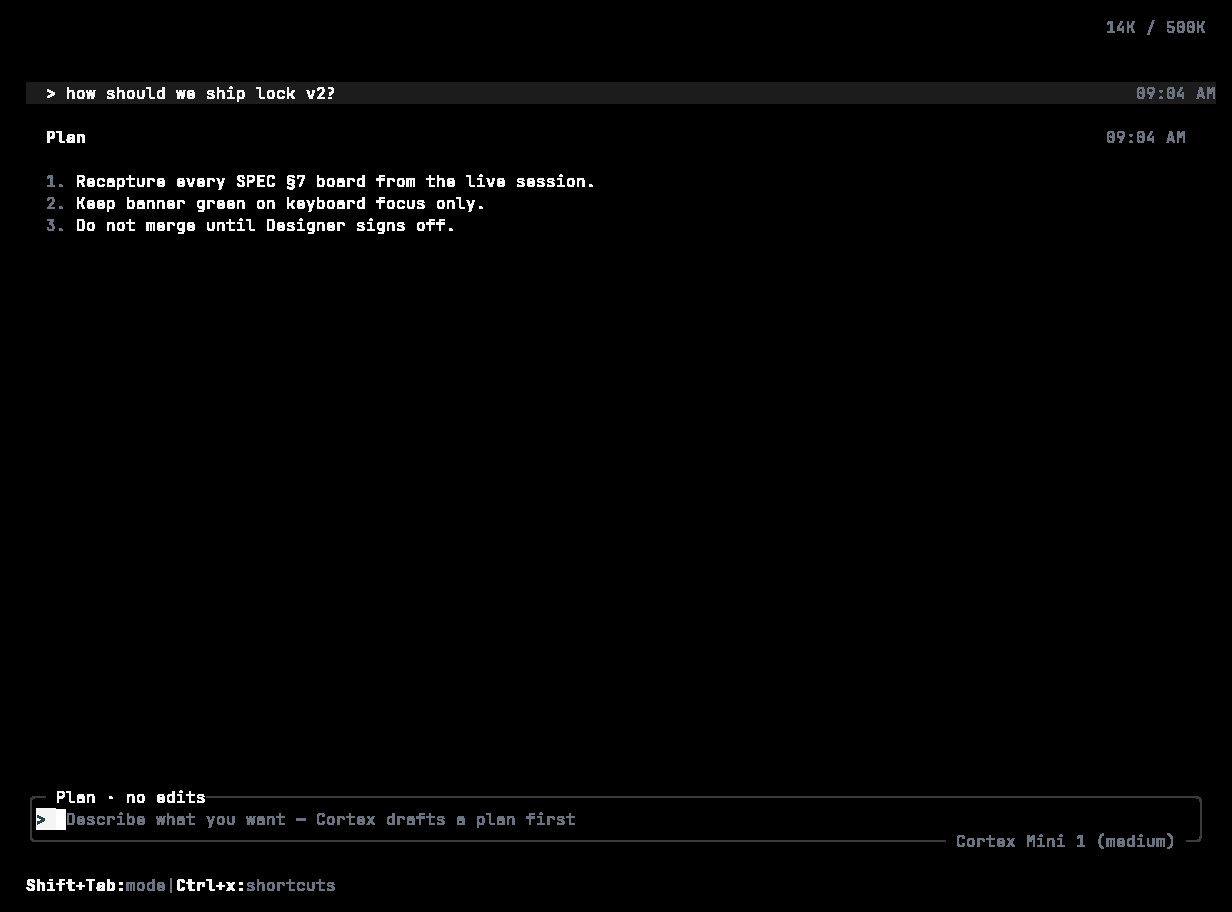
Plan mode: a numbered plan — “no files change until you approve” — and a composer bordered Plan · no edits.
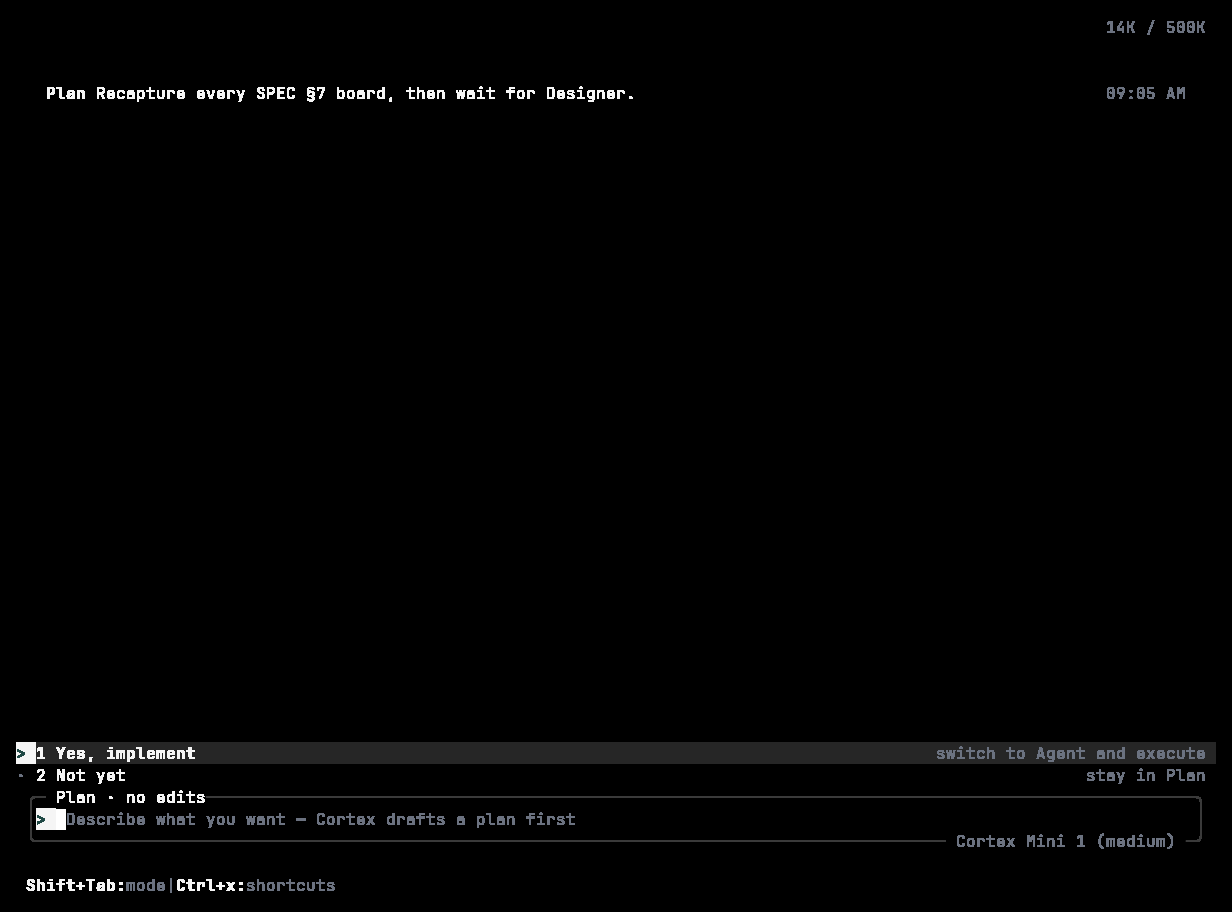
Implement this plan? Enter confirms and switches to Agent; Esc keeps planning.
Spec mode
/spec goes a step further than Plan. The agent produces a structured plan — title, description, tasks with a complexity rating, architecture, risks, success criteria — and the mutating tools stay locked until you accept it. Leave with /spec off. Headless runs can start in it with cortex exec --use-spec, optionally with --spec-model <id> for the planning pass.
Why it exists: you see the shape of the work while it is still cheap to redirect, the plan is an artefact you can paste into an issue, and the block on mutating tools is enforced by the harness rather than by asking the model nicely.
Approvals
When the agent wants to run something consequential, the prompt appears inline under the command and the composer waits. There is one approval path: numbered options — run once, always allow this kind of command in this project, edit the command first, or decline and say what to do instead.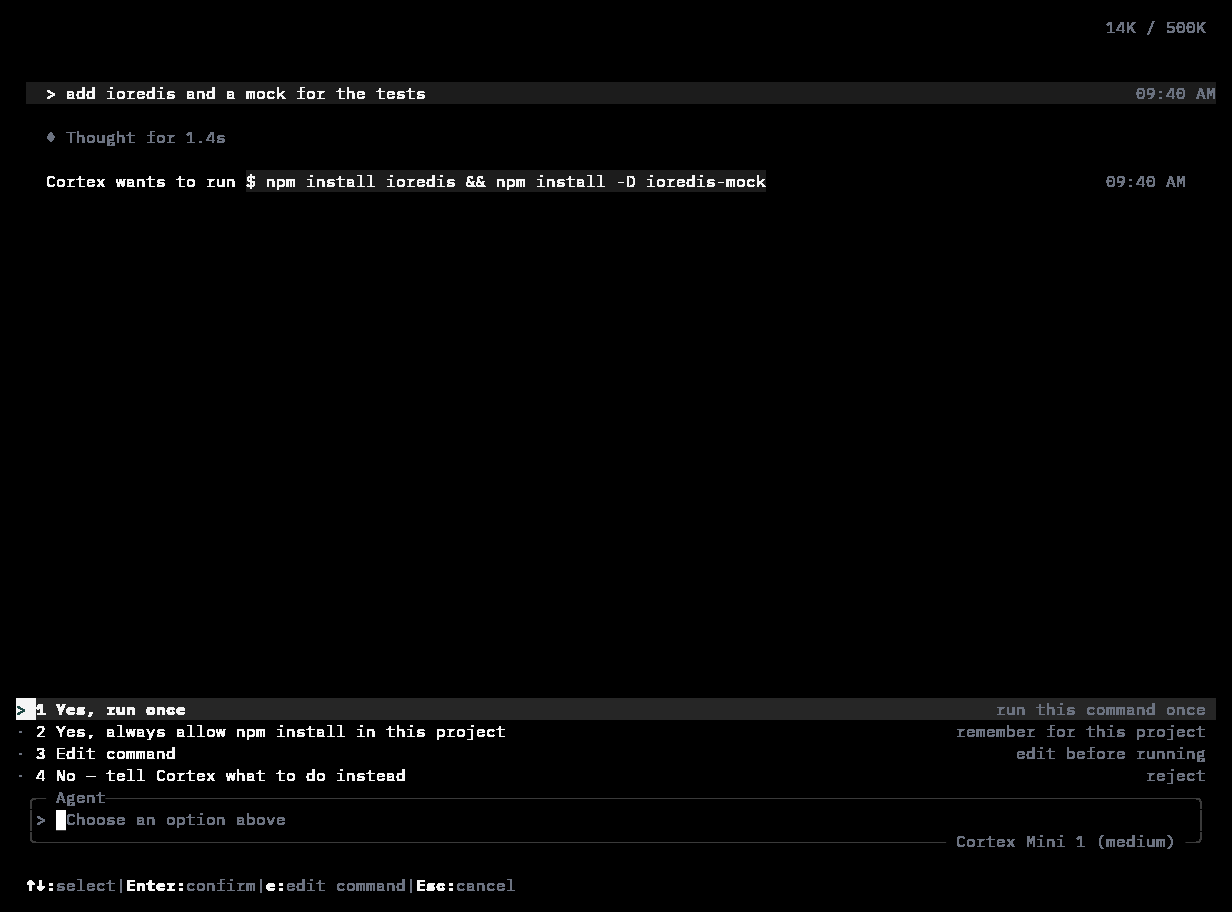
Cortex wants to run $ npm install … — 1 Yes, run once · 2 Yes, always allow npm install in this project · 3 Edit command · 4 No — tell Cortex what to do instead.
/permissions sets the policy for the session:
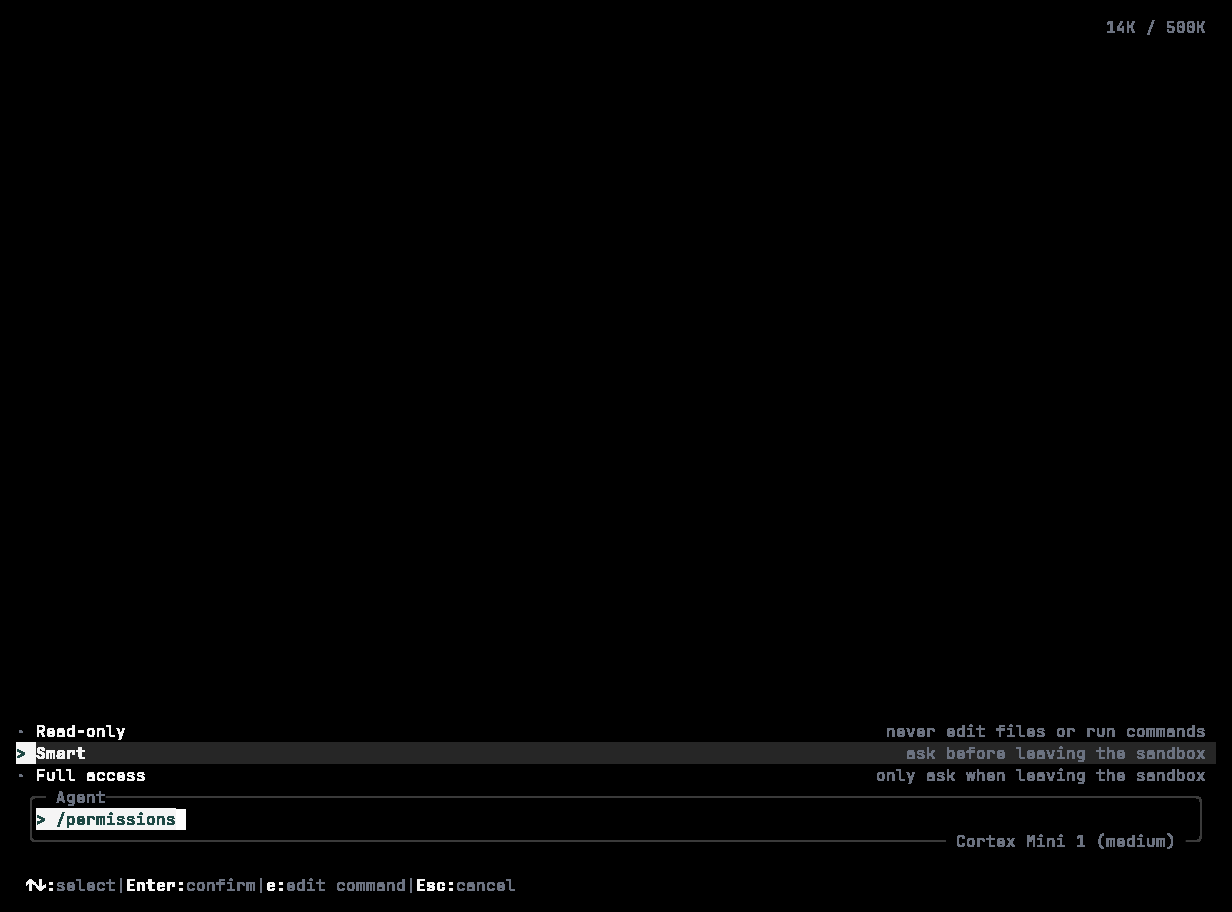
/permissions — how Cortex asks before acting: Smart (current), Read-only, Full access.
--ask-for-approval <untrusted|on-failure|on-request|never>; on-request is the default. /approval <ask|session|always|never> sets it explicitly inside the TUI, and /auto on toggles auto-approval. Choosing always allow … in this project remembers that kind of command for the project, not every command.
Sandbox
The sandbox limits what a tool may touch when it does run.--full-auto means automatic execution inside the sandbox. --dangerously-bypass-approvals-and-sandbox (alias yolo) turns both controls off — use it only in a disposable environment. /sandbox on|off toggles sandboxing from the TUI, and sandbox_workspace_write in config.toml refines the workspace policy (extra writable roots, network access).
When the sandbox blocks something, the timeline says so and offers a way through — keep it blocked, allow once, or allow for this session:
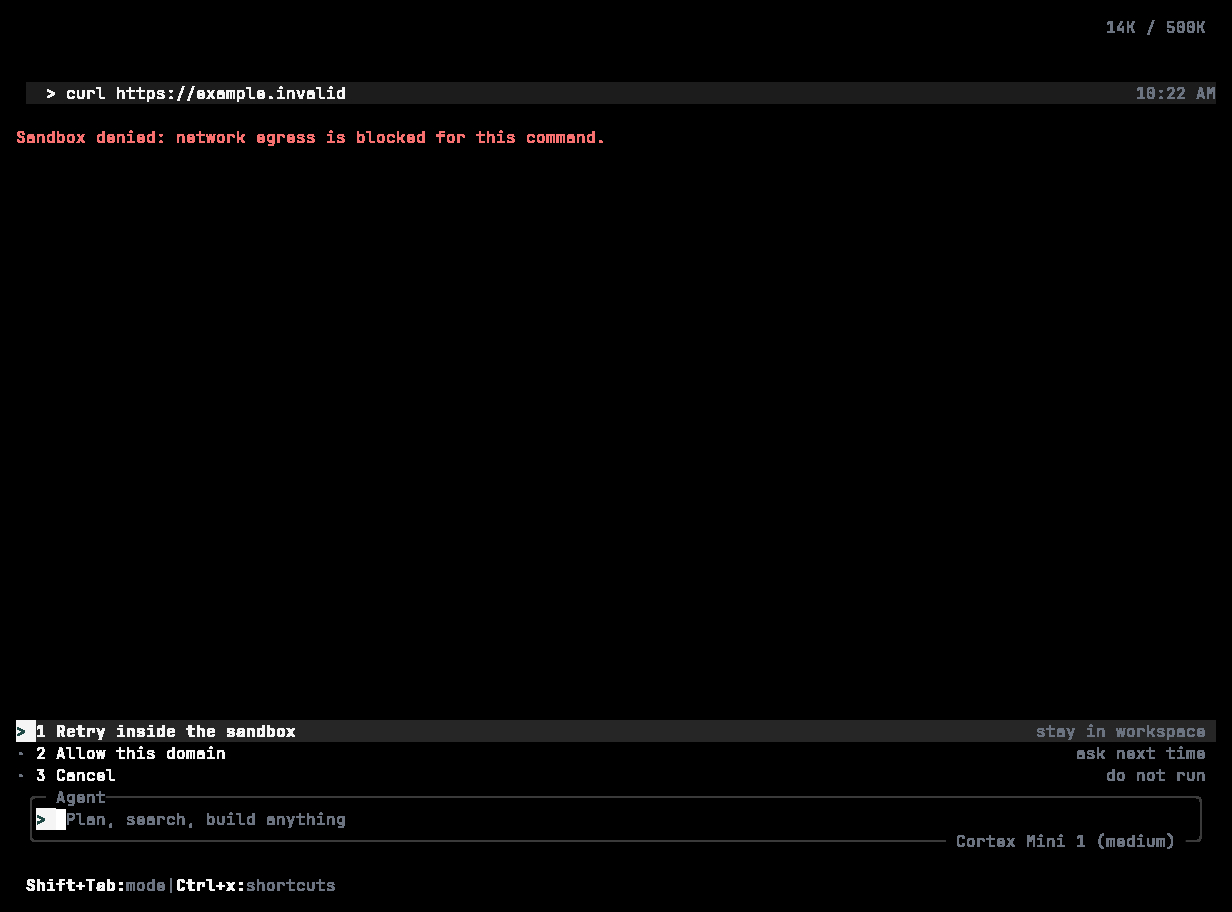
× Sandbox denied — curl was blocked by the workspace sandbox; network is allowlisted. Keep blocked, Allow once, or Allow for this session.
The permission table
config.toml can set per-capability policy — allow, ask, or deny — including patterns for shell commands, individual skills, and MCP servers:
cortex debug config --diff shows what differs from the defaults. See Configuration.
Model and effort
/model (or Ctrl+M) lists the models under their product names — Cortex Mini 1, Cortex 1, Cortex Max 1 — and lets you set reasoning effort with Tab: Low for quick edits and questions, Medium for everyday coding (the default), High for hard, multi-file changes. /effort opens the same radios directly.
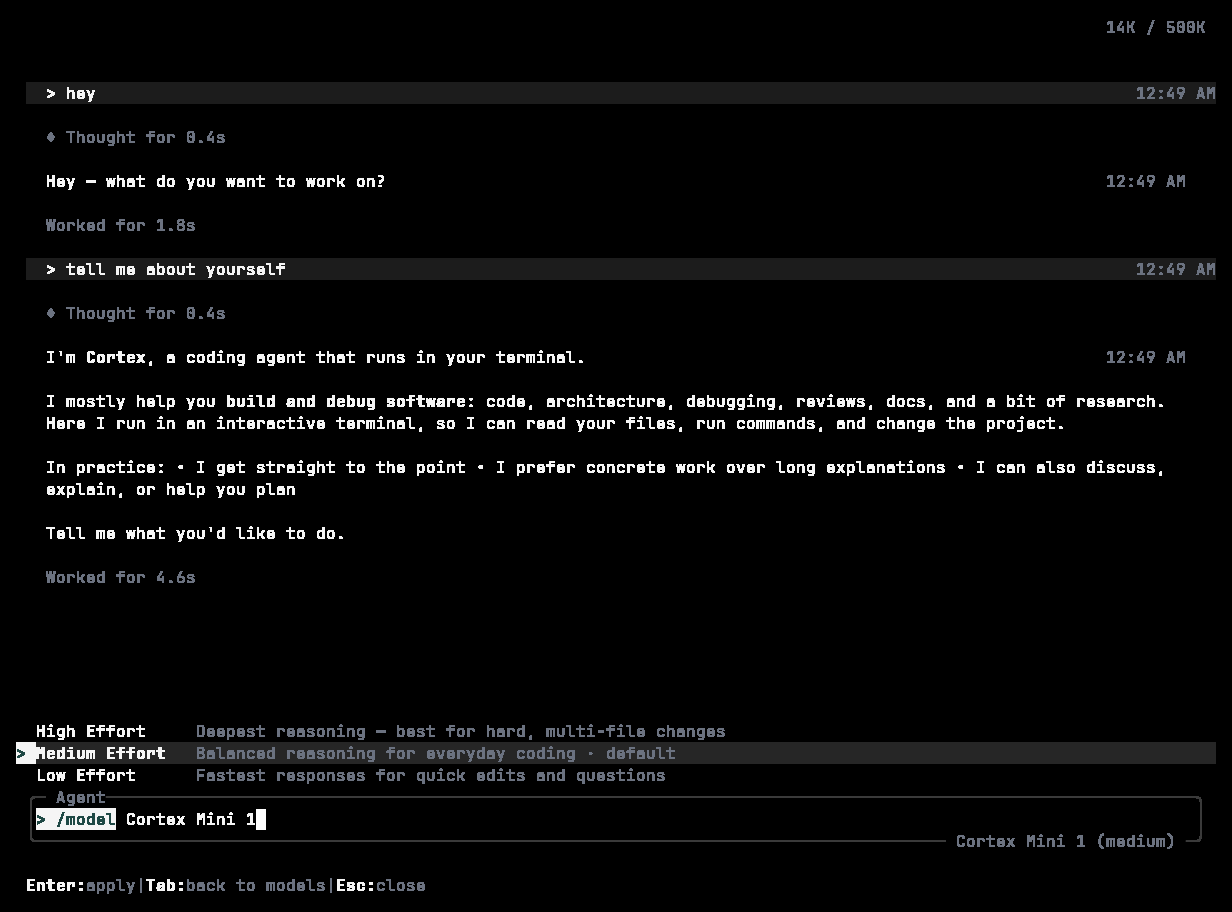
Effort for Cortex Mini 1: High · Medium (default, selected) · Low. Enter applies; Tab goes back to the model list.
Web Chat’s picker shows the same family as Cortex 1 Mini and Cortex Teutonic-1 — see Models.
Autonomy in headless runs
There is nobody to ask incortex exec, so --auto is the control that matters: read-only (default), low, medium, high. See Headless runs.
Which control do I want?
Related
- The TUI — where the indicators live.
- Configuration —
approval_policy,sandbox_mode,permission. - Bot approvals — the same idea in Bot.