

Where each host lives
Web Code is Cloud-only by design: the browser has no way to run tools on your disk. That is host placement, not a missing catalog entry.
This PC
The agent works in a project directory on your machine, using your toolchains, your network, and your hardware. Approvals and sandbox policy apply exactly as they do elsewhere — see Modes and permissions for the CLI’s controls. Good for: private dependencies, local databases, GPU work, anything the Cloud guest cannot reach.SSH
The agent runs shell tools on a host you register, over SSH. There is no desktop on that host; it is a shell. Good for: build boxes and servers you already operate.Choosing a host
Desktop app: pick the host when you start the session. CLI: the TUI andcortex exec use the Cloud unless you opt in:
CORTEX_COMPUTER to use the Cloud. See CLI configuration.
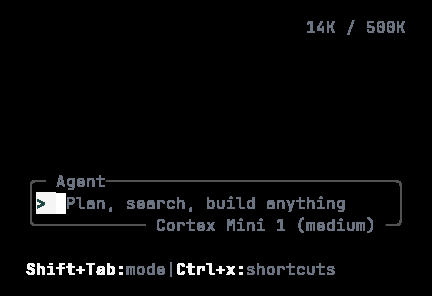
The CLI composer once a host is connected. Whichever host runs the tools, the session looks the same from here.
Bot has the same shape
Bot’s Computer rail follows the same rule: Cloud in the browser, This PC on the Bot desktop app, SSH as shell only. See Bot computer.Related
- Desktop app — download and sign in.
- Cloud runtimes — the default host.
- Code in the terminal