

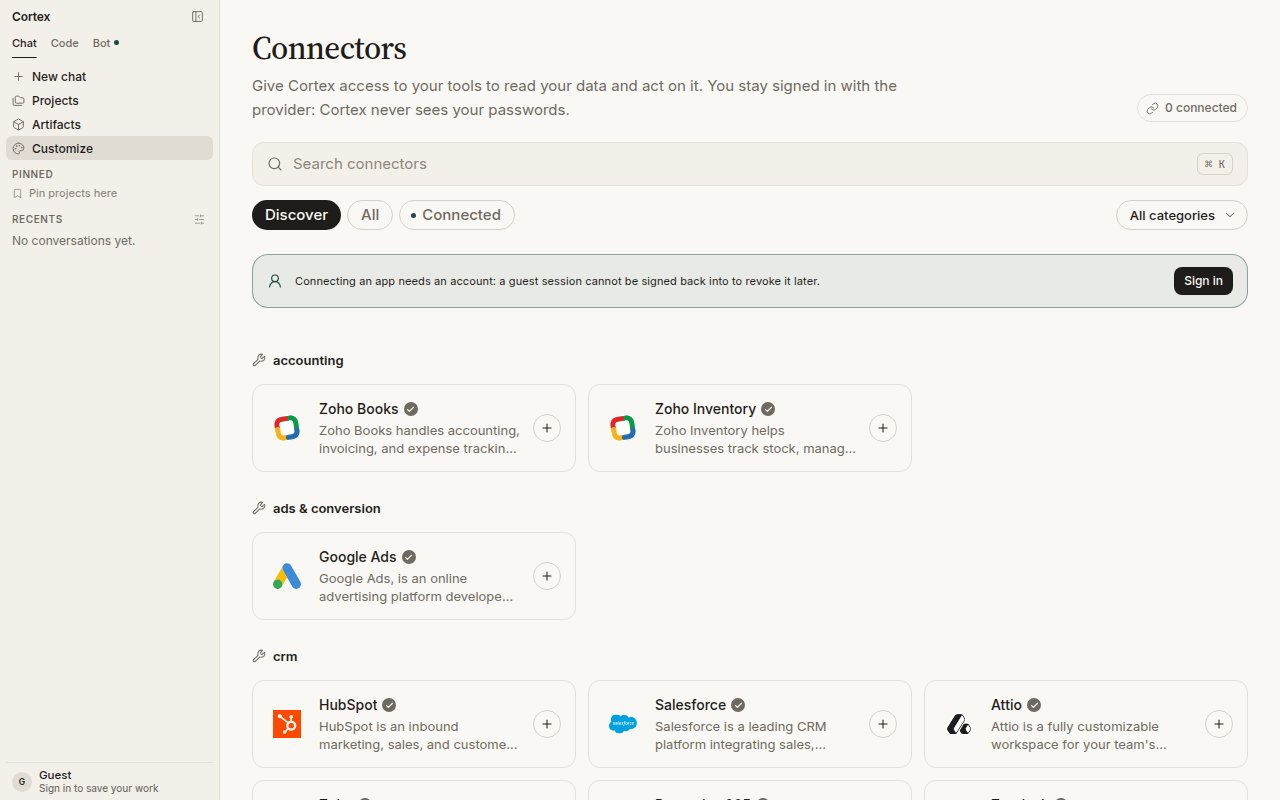
Customize → Connectors. Discover, connect, and choose which product each app reaches. Cortex never sees your passwords.
Built-in tools
Chat’s Python tool runs a small snippet with no workspace. It is not Code’s shell inside a Cloud guest and not Bot’s computer.
Connected apps
Open Customize in the sidebar (the page is titled Connectors). Apps are grouped by category — accounting, ads, CRM, and so on — with Discover, All, and Connected filters and a search box (⌘ K).1
Sign in
Connecting an app needs an account: a guest session cannot be signed back into to revoke the connection later.
2
Connect
Choose the app and follow its own sign-in. You stay signed in with the provider; Cortex never sees your passwords.
3
Choose where it is available
Each connection can be available to Cortex Chat, Cortex Bot, or both. A connection enabled only for Bot is not a Chat tool, and Bot never inherits a tool you did not assign to it.
Integrations in Settings
Settings → Integrations lists the apps that add tools directly to your conversations. GitHub is live with four tools — list pull requests, list issues, create issue, and more. Linear, Slack, Notion, and Vercel are shown as coming soon. The GitHub connection is the same one Code uses for repositories; see Connect GitHub for the walk-through.MCP servers
Cortex Chat is a Model Context Protocol client. Under Settings → Integrations → MCP servers, attach a server over HTTP: a name, its URL, and an optional bearer token. Its tools join the model in chat alongside built-in tools and connected apps. You must be signed in.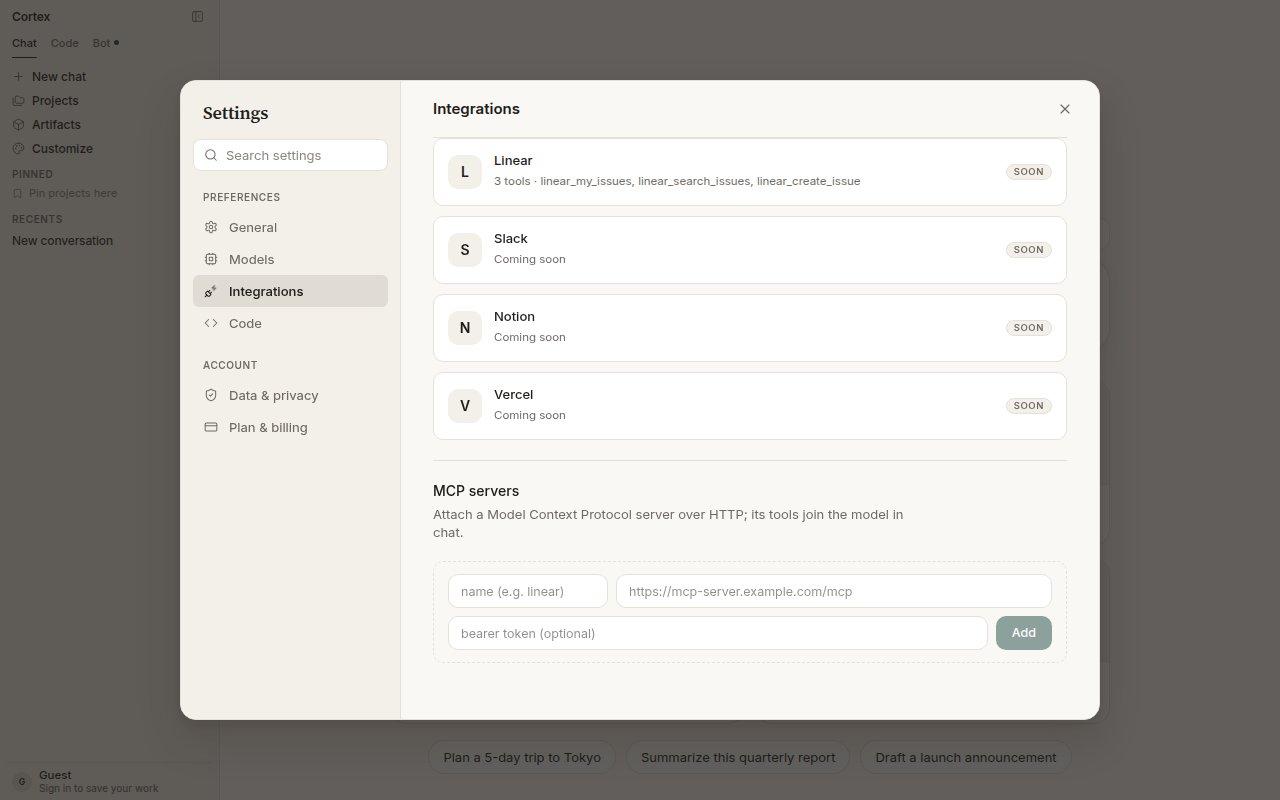
Attach an MCP server: name, URL, optional bearer token.
The CLI is also an MCP client, with stdio and HTTP transports and its own configuration — see Extend the CLI.
GitHub repositories belong in Code
Connecting GitHub for Code repositories is a different control: Connect GitHub on Code Home, in the repository picker, or under Settings → Integrations. There is no personal-access-token field. If the connection lapses the product shows Reconnect; if GitHub is unavailable on your deployment, the control is not shown. See Connect GitHub. Cortex Security’s GitHub App — pull-request review — is a third, separate install. See Cortex Security.Frequently asked
Why can I see Connectors but not connect anything?
Why can I see Connectors but not connect anything?
You are a guest. The banner on the Connectors page explains it: connecting an app needs an account so the connection can be revoked later.
I connected an app for Bot. Why can't Chat use it?
I connected an app for Bot. Why can't Chat use it?
Connections are scoped per product. Open Customize → Connectors and enable it for Chat as well.
Does Cortex store the data it reads from my apps?
Does Cortex store the data it reads from my apps?
No. Connected-app content is read at question time and discarded. See Security.